@aaqu/node-red-aaqu-pdf 0.4.6
node-red pdf creator
Security Disclaimer
This package processes PDF data directly within the main execution context and does not utilize sandboxing, isolated workers, or any form of execution containment.
Accordingly, it provides no warranties or representations, whether express or implied, regarding safety, security, performance, or suitability for handling untrusted, user-supplied, or potentially malicious PDF content.The software is provided “as is”, without any guarantees of reliability or protection, and no assurance is given that it can safely process adversarial input.
Use in security-sensitive environments or with sensitive data is not recommended unless independent validation, isolation, and appropriate hardening measures are implemented.
Important Information
Your support in the ongoing development of this library would be sincerely appreciated. 🙂

@aaqu/node-red-aaqu-pdf
A Node-RED node for operating on a PDF document.
This module provides a custom Node-RED node that:
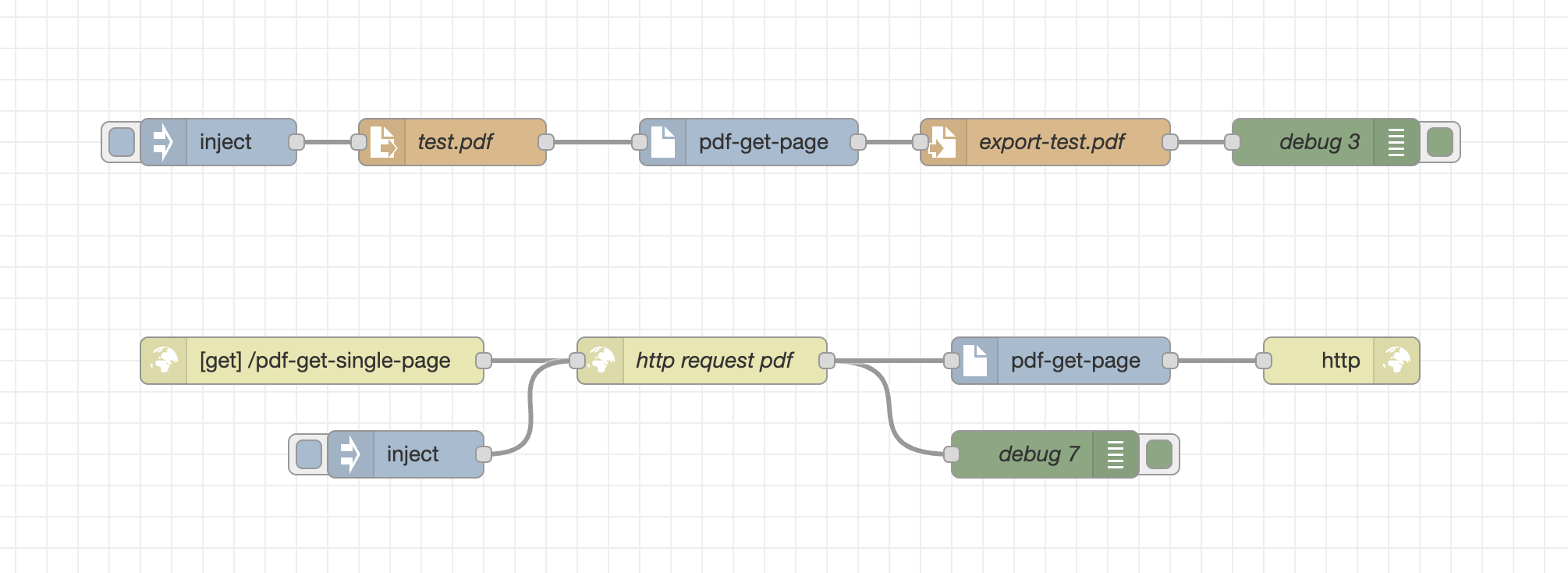
- get single page from pdf
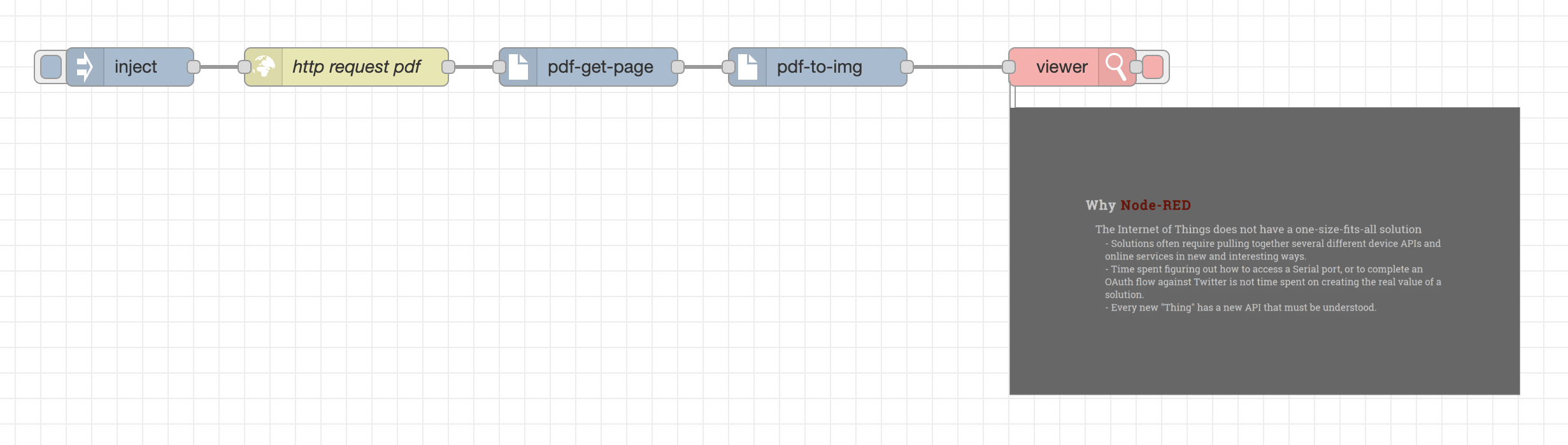
- display single page in flow
Get single page form pdf (file, http)
Display page in flow - need node-red-contrib-image-tools -> viewer
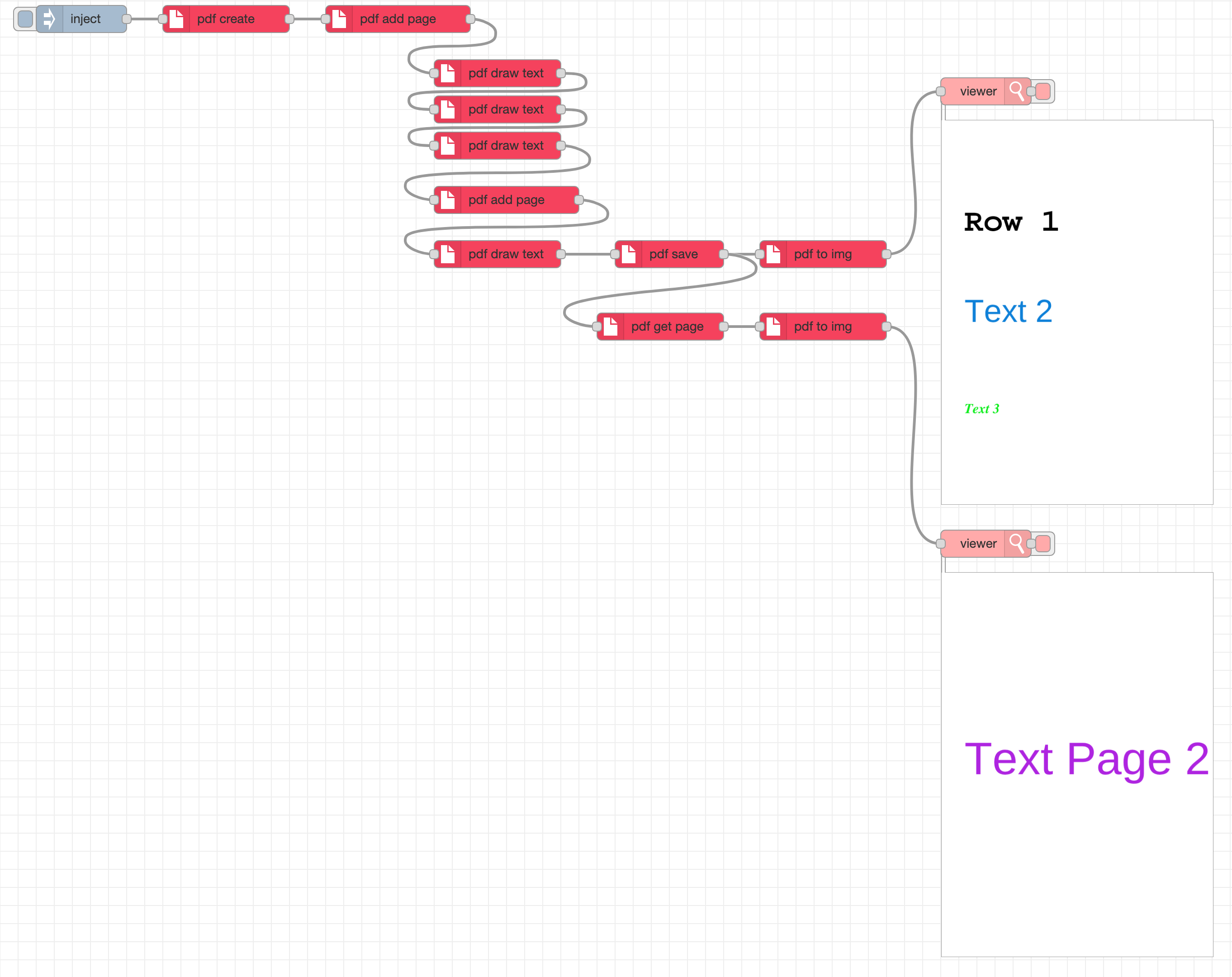
Create empty PDF and draw text
Features
- Create empty PDF and draw text
- Select a single page from pdf to buffer
- Convert PDF page buffer to base64 image
Installation
Run the following command inside your Node-RED user directory (typically ~/.node-red):
npm install @aaqu/node-red-aaqu-pdf
Then restart Node-RED and the new node will appear in the editor palette.
Nodes usage
pdf get page

- msg.payload - pdf buffer
- msg.pdfPage – optional runtime override for the page number (starting at
1).
pdf multi page buffer → [pdf get page] → pdf single page buffer
where:
- pdf multi page buffer input multi page buffer.
- pdf get page extracts the configured page (or the page defined in
msg.pdfPage) default page no 1. - pdf single page buffer return single page buffer.
pdf to img

- msg.payload - pdf buffer input
pdf buffer → [pdf to img] → out base64
where:
- pdf buffer a pdf file as buffer.
- pdf to img extracts the page to image.
- out base64 return image in base64 (to display use node-red-contrib-image-tools -> viewer).
pdf create

create PDF document
pdf add page

adding a page
pdf save

buil final PDF
pdf draw text

add text to page PDF
Use cases
- Fast display pdf in flow editor.
- Extracting pages from automatically generated reports.
- Preparing single-page documents for downstream processing.
- Splitting large PDFs into smaller parts.
- Creating lightweight attachments for email or APIs.
License
Apache-2.0
