node-red-dashboard-2-ui-gauge-duration 0.1.3
FlowFuse Dashboard gauge with configurable arc and needle animation duration
Configurable Duration Gauge for FlowFuse Dashboard
This is a copy of the official FlowFuse Dashboard ui-gauge widget, adapted
as an independent third-party package, with configurable animation duration
for the arc and needle.
Original source: FlowFuse/node-red-dashboard — ui-gauge. The original widget was created by the FlowFuse Dashboard contributors. This package is an independent modification, with the original Apache-2.0 license and attribution preserved; see NOTICE and UPSTREAM.md.
The added setting is Duration (ms) for Half and 3/4 gauges, with both Needle
and Rounded styles. It exposes the duration already used by the original
update(value, duration = 1000) method. The copied gauge types, styles, segments,
typed inputs, and existing dynamic properties are retained.
- Default:
1000ms, matching the original behavior. 0: update without animation.- Accepts finite numbers greater than or equal to zero.
- Duration controls the D3 arc and needle transitions. It does not change the Tank waves or animations in other gauge types.
- Initial rendering and resizing continue to use duration
0.
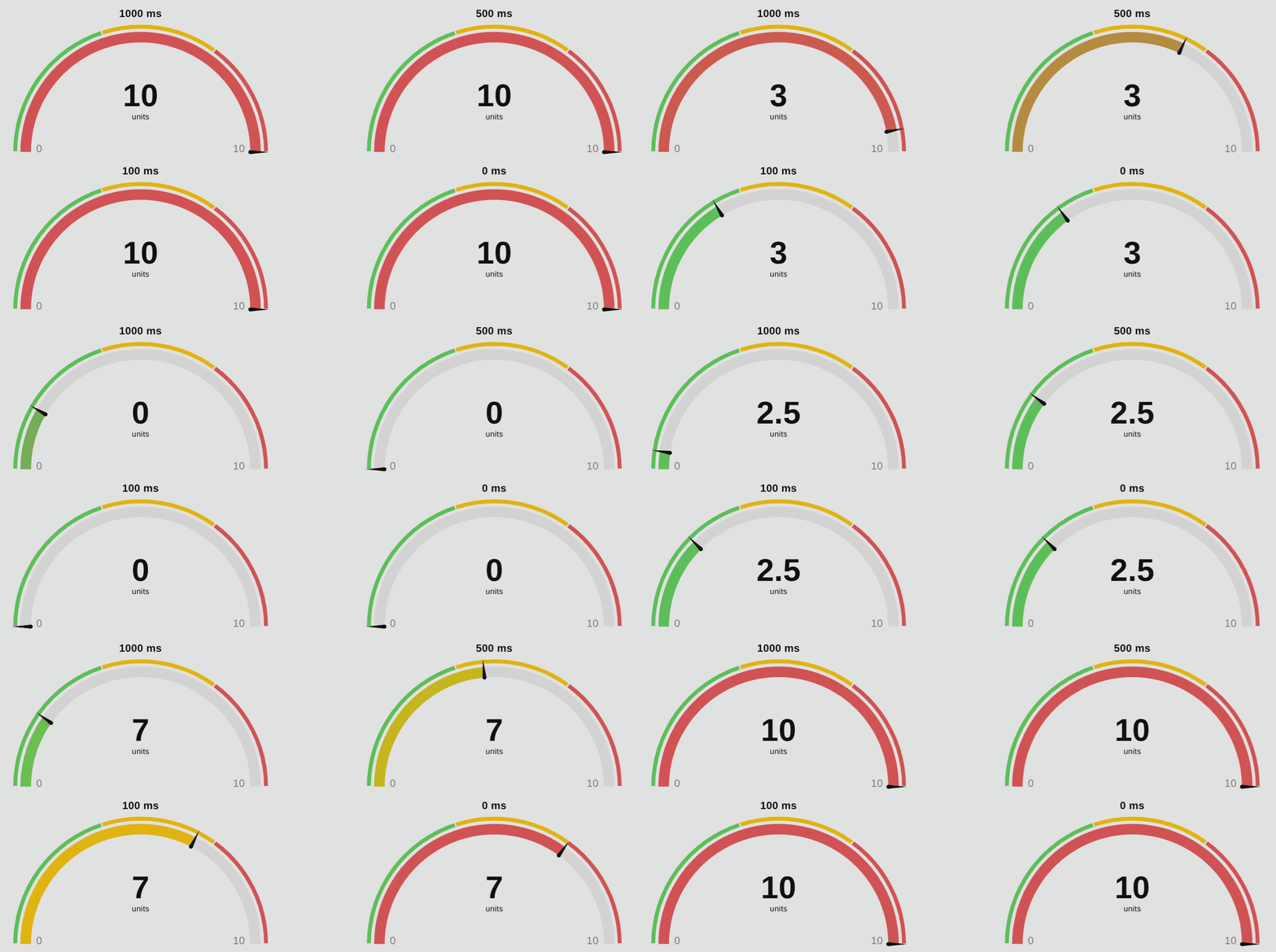
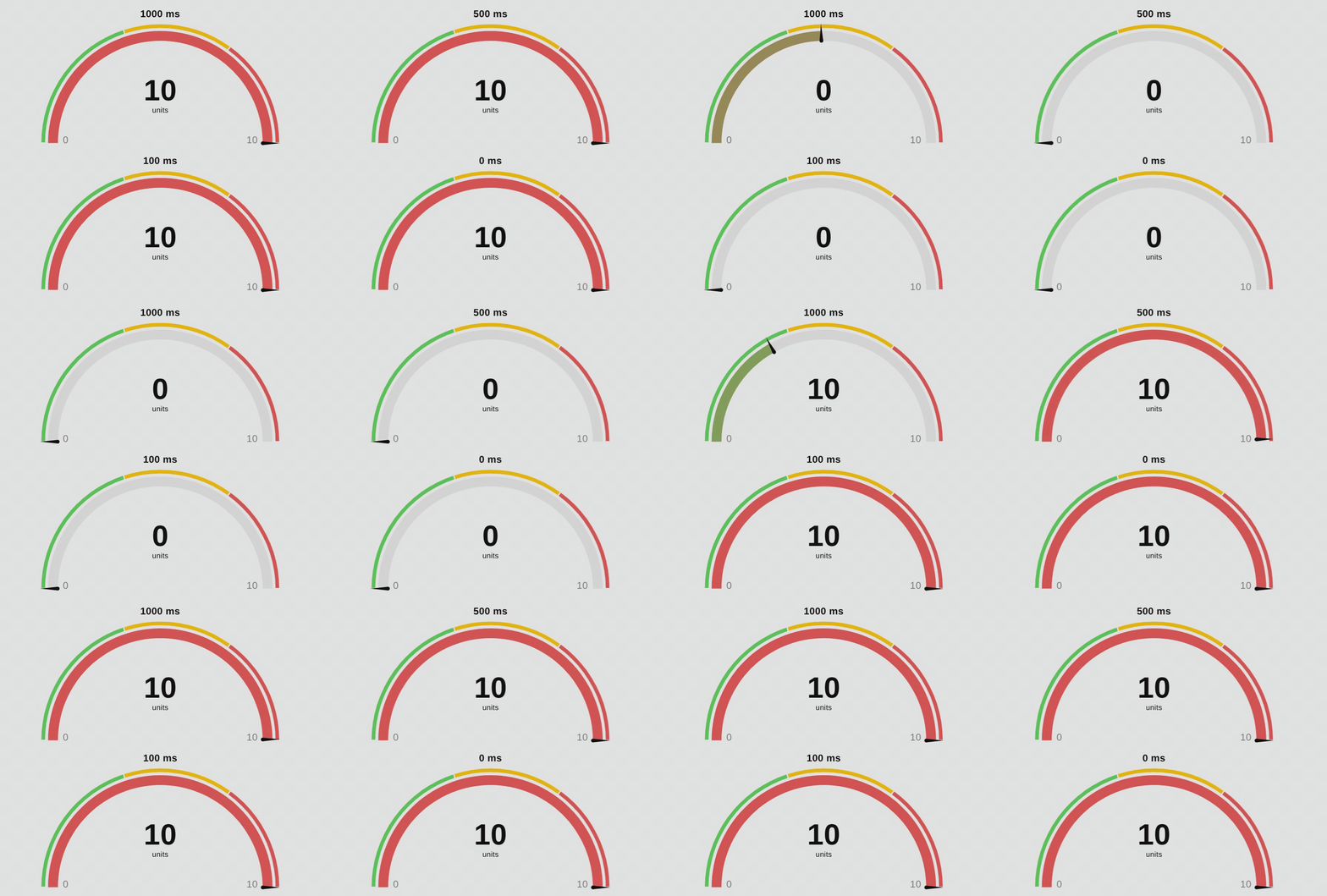
Duration Comparison
Both recordings compare 1000 ms, 500 ms, 100 ms, and 0 ms using
half gauges with the needle style. Shorter durations reach the target sooner;
0 ms updates immediately. The initial wait has been trimmed from both GIFs.
Variable Values
Watch the arc and needle respond to changes in the displayed value at each duration.
Step Changes
Compare the transition speed when the value jumps between the minimum and maximum.
Installation
Requires Node-RED 3+ and an existing installation of
@flowfuse/node-red-dashboard 1.34.0 or later.
This package supports FlowFuse Dashboard (Dashboard 2).
Install from your Node-RED user directory:
cd ~/.node-red
npm install node-red-dashboard-2-ui-gauge-duration
Alternatively, install the compiled .tgz downloaded from
GitHub Releases:
cd ~/.node-red
npm install /path/to/node-red-dashboard-2-ui-gauge-duration-0.1.3.tgz
Restart Node-RED. Add gauge duration from the Dashboard category, select a group,
and set Duration (ms). The node uses the independent ui-gauge-duration type
and can coexist with the original gauge.
To reuse settings from an exported flow, change type from ui-gauge to
ui-gauge-duration on the desired nodes and add "duration": 1000.
When importing a copy, let Node-RED generate new IDs.
Runtime Updates
The editor setting is sufficient. Optionally, use the Dashboard dynamic property convention:
msg.payload = 75;
msg.ui_update = { duration: 250 };
return msg;
This sets the duration for this and subsequent updates. You can also send
msg.ui_update = { duration: 0 }. Dynamic duration is stored in Dashboard state
for new clients; invalid values are ignored with a warning.
The original method remains update(value, duration = 1000). The main change
is in the UIGaugeDial.vue value watcher:
this.update(val, this.props.duration ?? 1000)
Duration flows from the editor to the runtime, parent component, and dial.
Changing only duration does not remount the dial or move its value; the setting
takes effect on the next value change.
Development
npm ci
npm run build
npm test
npm pack
Node.js 20.19+ is required to build. The bundle at
resources/ui-gauge-duration.umd.js includes D3 and CSS; Dashboard provides
Vue and Vuex.
Source details and changes are documented in UPSTREAM.md.
The Apache-2.0 license is preserved. The reference is the upstream main code
downloaded on 2026-10-23, with manifest version 1.34.0.
Layout Compatibility
In the Grid layout, Dashboard has an internal automatic height rule specific to
the native ui-gauge type in 3/4 mode. For the same height with this widget,
explicitly set the height to 3 instead of automatic in that case.
Automated tests cover the runtime with a simulated Dashboard API and the compiled Vue components in a simulated DOM. A local smoke test with Node-RED 4 and Dashboard 1.34.0 also verified node loading, widget registration, dynamic duration state, and HTTP delivery of the Dashboard and widget bundle. Visual appearance still needs to be checked in your environment.
