node-red-dashboard-2-logo84-energiam 0.1.8
Widget Dashboard 2.0 para Siemens LOGO! 8.4. Visualizador SVG dinámico con E/S en tiempo real, tabla de estados multi-dispositivo y etiquetas de pines editables. Parte del ecosistema EnergIAM.
node-red-dashboard-2-logo84-energiam




Dashboard 2.0 widget for real-time visualization of Siemens LOGO! 8.4 PLCs over MQTT.
Part of the EnergIAM IIoT ecosystem.
Screenshots
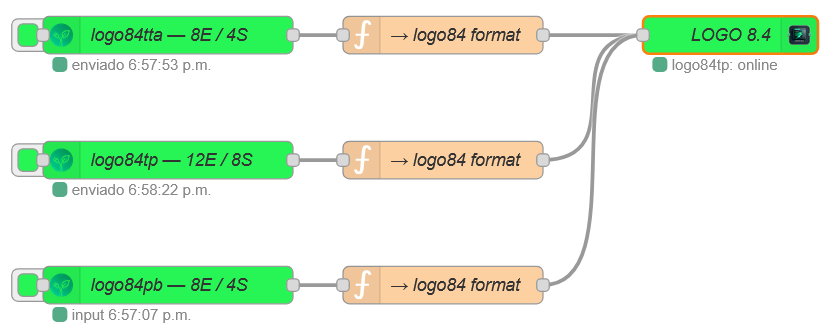 Example flow — three simulated LOGO! devices connected to a single
 ui-logo84 node
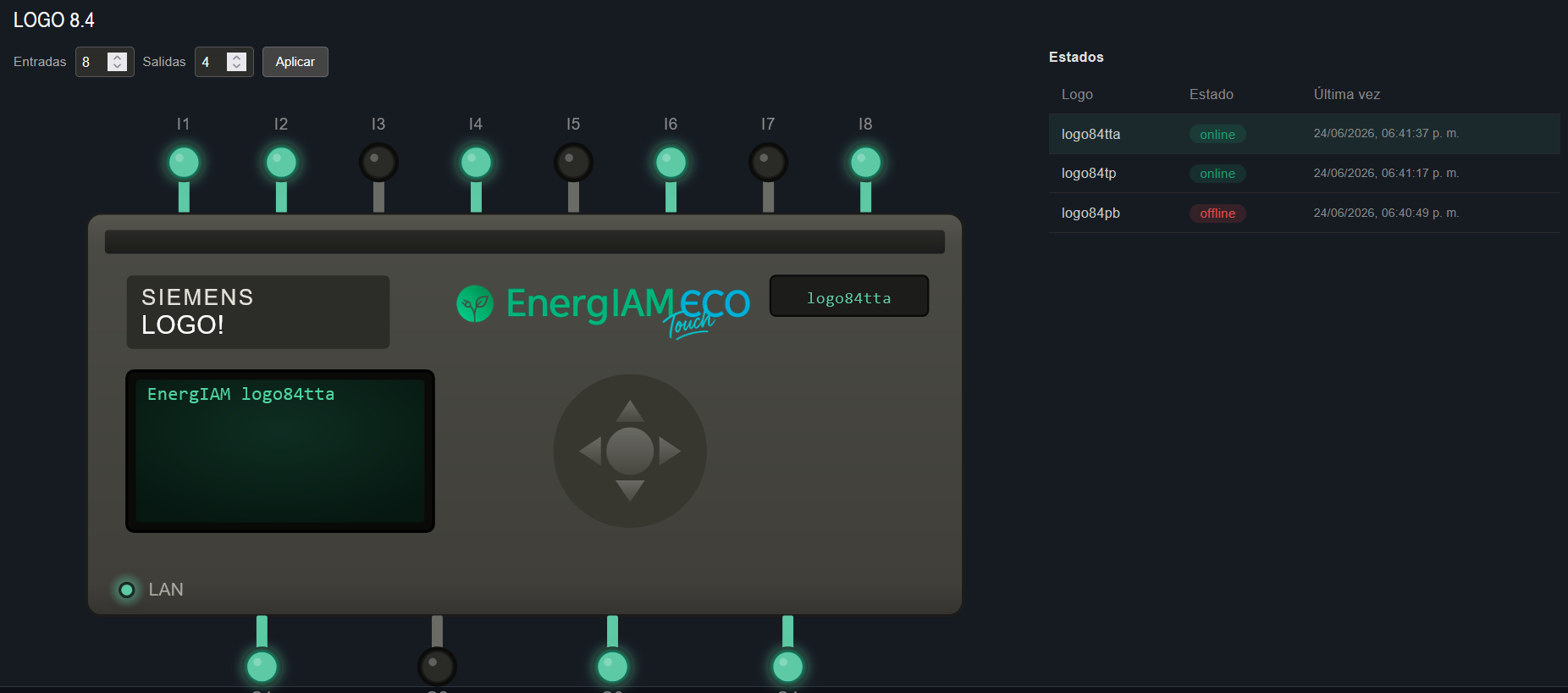 Real-time SVG panel with multi-device status table
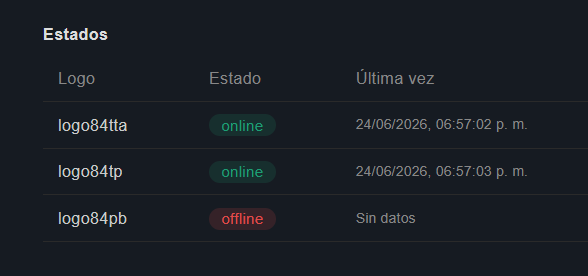 Multi-device status table — online/offline detection with last-seen timestamp
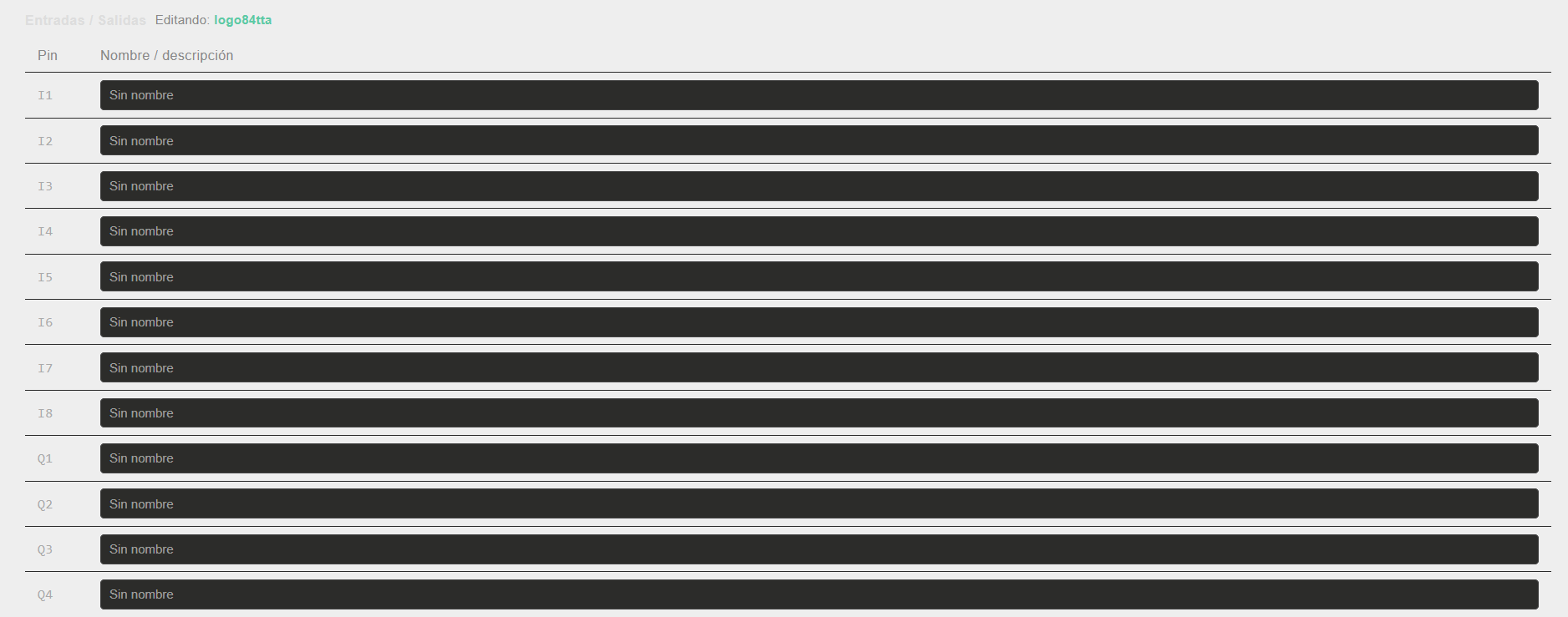 Editable pin label table per device
Overview
ui-logo84 is a single Node-RED node that monitors multiple LOGO! 8.4 devices simultaneously from a single MQTT subscription. Each device is detected automatically from the topic structure — no manual device configuration required.
Features
- Multi-device status table — lists all detected LOGO! devices with online/offline badge and last-seen timestamp
- Interactive SVG panel — click any device to render its I/O diagram in real time; pin states update live via MQTT
- Per-device independent configuration — each device stores its own input/output count and pin label set
- Editable pin labels — assign custom names to each I/O pin per device; saved persistently in the node
- Fully configurable — MQTT topic prefix, heartbeat throttle, offline timeout, default pin counts, and LCD prefix are all configurable from the node editor
- LAN LED — reflects actual online/offline state of the selected device
Requirements
| Dependency | Version |
|---|---|
| Node-RED | ≥ 3.0.0 |
| @flowfuse/node-red-dashboard | ≥ 1.0.0 |
| Node.js | ≥ 18.0.0 |
Installation
Via Node-RED Palette Manager
Search for node-red-dashboard-2-logo84-energiam in Manage Palette → Install.
Via npm
cd ~/.node-red
npm install node-red-dashboard-2-logo84-energiam
Then restart Node-RED.
Quick Start
- Add a
mqtt innode subscribed to your topic wildcard (e.g.energiam/#) with QoS 2 - Connect it directly to the
logo84node input - Place the
logo84widget in a Dashboard 2.0 group - Deploy — devices appear automatically as MQTT messages arrive
[mqtt in energiam/#] ──▶ [logo84]
No function node or transformation is needed.
MQTT Message Format
The node expects the Shadow/reported state format used by the EnergIAM firmware:
Topic:   energiam/logo84pb/pub

Payload:
{
  "state": {
    "reported": {
      "$logotime": 1781987649,
      "entrada1": { "desc": "I-bit-1-1", "value": [1] },
      "salida1":  { "desc": "Q-bit-1-1", "value": [0] },
      ...
    }
  }
}
| Field | Description |
|---|---|
$logotime |
Unix timestamp — used for heartbeat / online detection |
I-bit-N-1 |
Digital input N (1-based index) |
Q-bit-N-1 |
Digital output N (1-based index) |
Messages without $logotime update pin states only (no heartbeat processing).
Node Configuration
Open the node editor in Node-RED to configure:
| Property | Default | Description |
|---|---|---|
| Name | — | Display name in the editor |
| Group | — | Dashboard 2.0 group (required) |
| Width / Height | 12 / 10 | Widget size in grid units |
| MQTT Topic Prefix | energiam |
Prefix before the device name in the topic. The device name is taken from the segment immediately after this prefix. |
| Heartbeat throttle (s) | 10 |
Minimum interval between online/offline status updates per device |
| Offline timeout (s) | 60 |
Time without a heartbeat before a device is marked offline |
| Default inputs / outputs | 8 / 4 |
Default pin count for new devices (can be overridden per device in the widget) |
| LCD Prefix | (empty) | Text shown before the device name on the SVG LCD display. Empty = device name only |
Topic Prefix Examples
| Topic structure | Prefix setting | Device extracted |
|---|---|---|
energiam/logo84pb/pub |
energiam |
logo84pb |
plant/line1/logo84pb/pub |
plant/line1 |
logo84pb |
logo84pb/pub |
(empty) | logo84pb |
Widget Usage
Status Table
Displays all detected LOGO! devices. Each row shows:
- Device name (extracted from topic)
- Online / Offline badge
- Last seen timestamp
Click a row to select that device and load its SVG panel.
SVG Panel
Visual representation of the selected LOGO! device:
- Input pins (top) and output pins (bottom) colored in real time
- Active pins glow green (
#5DCAA5) - LAN LED reflects actual connectivity
- LCD display shows the device name (with optional prefix)
- Entradas / Salidas spinners — change pin count for the selected device and click Aplicar to save
I/O Pin Labels
Editable table showing all input (I) and output (Q) pins for the selected device. Names are saved per device and displayed as tooltips on the SVG pins.
Example Flow
An example flow with three simulated LOGO! devices is included in:
examples/flows_logo84_simulator.json
Import it via Node-RED Menu → Import to test the widget without real hardware.
Requires node-red-contrib-device-simulator-energiam for the simulator nodes.
How It Works
MQTT message
    │
    ▼
Extract device name from topic (segment after prefix)
    │
    ├─ Accumulate I/Q bit states per device (incremental)
    │
    ├─ If $logotime present:
    │     ├─ Throttle check (default 10 s)
    │     ├─ Calculate online/offline (default 60 s timeout)
    │     └─ Update status table → emit to dashboard
    │
    └─ If selected device → emit SVG update to dashboard

Widget action (user click / Aplicar / pin name edit)
    │
    ▼
Handled in node via beforeSend hook → update state → emit
State is held in closure variables (not node.context()), ensuring compatibility with all Node-RED context store configurations including file-based stores.
License
MIT © EnergIAM EcoTouch
