node-red-contrib-shadow-check 1.0.2
A Node-RED node for checking if the sun shines into a window
node-red-contrib-shadow-check
A Node-RED node that checks whether the sun currently shines into a configured window.
The node combines a window's dimensions, azimuth, inset and roof overhang settings with sun position input. It can be used to decide whether blinds or roller shutters should be lowered.
Installation
This node can be installed by searching for node-red-contrib-shadow-check in the Palette or running the following command in your Node-RED user directory – typically ~/.node-red.
$ npm install node-red-contrib-shadow-check
Usage
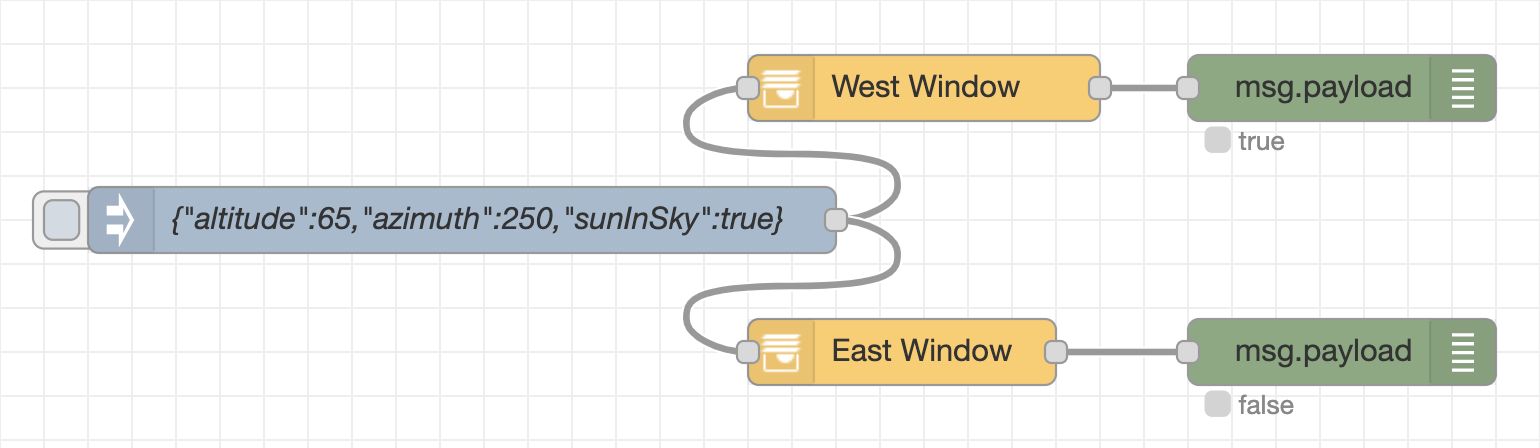
Input
The node expects sun position data on msg.payload:
{
  "azimuth": 180,
  "altitude": 35,
  "sunInSky": true
}
azimuth and altitude are degrees. sunInSky is optional and defaults to true. If sunInSky is false, the output payload is false.
Output
The node preserves the incoming message and sets:
msg.payload:trueif the sun shines into the configured window, otherwisefalsemsg.topic: the configured topic, defaulting tosunInWindow
Development
npm ci --ignore-scripts
npm run lint
npm run typecheck
npm test
npm run build
Release versioning is managed with Changesets:
npm run changeset
