node-red-contrib-onstar2 3.2.3
An updated Node-RED Library using OnStarJS2, supporting both v1 and v3 OnStar APIs with automatic version detection
node-red-contrib-onstar2





A Node-RED node package for controlling GM OnStar vehicles powered by OnStarJS, originally written by caseyjmorton and published in the npmjs registry here. Please note that only US and Canadian OnStar accounts are known to work with this integration.
This fork is for me to experiment with the capabilities exposed in the original version and to add custom commands as necessary.
Following a major re-write, this project was moved to version 2.x and was made fully independent from the original npm package.
Version 3.0 introduces API modernization with breaking changes for EV charging and diagnostics nodes. See MIGRATION.md for upgrade instructions.

Install
npm install node-red-contrib-onstar2
On Linux, macOS, or Windows, you may also need to install browser binaries (and system dependencies) for authentication:
npx patchright install --with-deps chromium
⚠️ Alpine Linux users (including Home Assistant Node-RED Add-on): Patchright is not supported on Alpine. Use the OnStar Auth Token Saver Firefox extension to generate tokens, then follow the token workaround discussion for container mapping instructions.
⚠️ Debian Trixie users: Xvfb compatibility issues have been reported on Debian Trixie-based Docker containers and direct installations. Use Debian Bookworm-based containers or the OnStar Auth Token Saver Firefox extension to generate tokens (see token workaround discussion for container mapping instructions).
Docker Installation
If running Node-RED in Docker, you'll need to install Xvfb and Chromium browser binaries inside the container:
Option 1: Install Dependencies in Container
# Enter your Node-RED container
docker exec -it <container-name> /bin/bash

# Install Xvfb (for headless browser automation)
apt-get update && apt-get install -y xvfb

# Install Chromium browser binaries
npx patchright install --with-deps chromium
Note: These changes will be lost when the container restarts. For a permanent solution, consider creating a custom Dockerfile that extends your Node-RED image with Xvfb and Chromium dependencies.
Option 2: Use Token Workaround (Recommended for Docker)
If you encounter issues with Xvfb/Chromium in Docker, or are using an unsupported platform, use the OnStar Auth Token Saver Firefox extension to generate microsoft_tokens.json on your host system and map it into the container. See the token workaround discussion for additional context and container mapping instructions.
Documentation
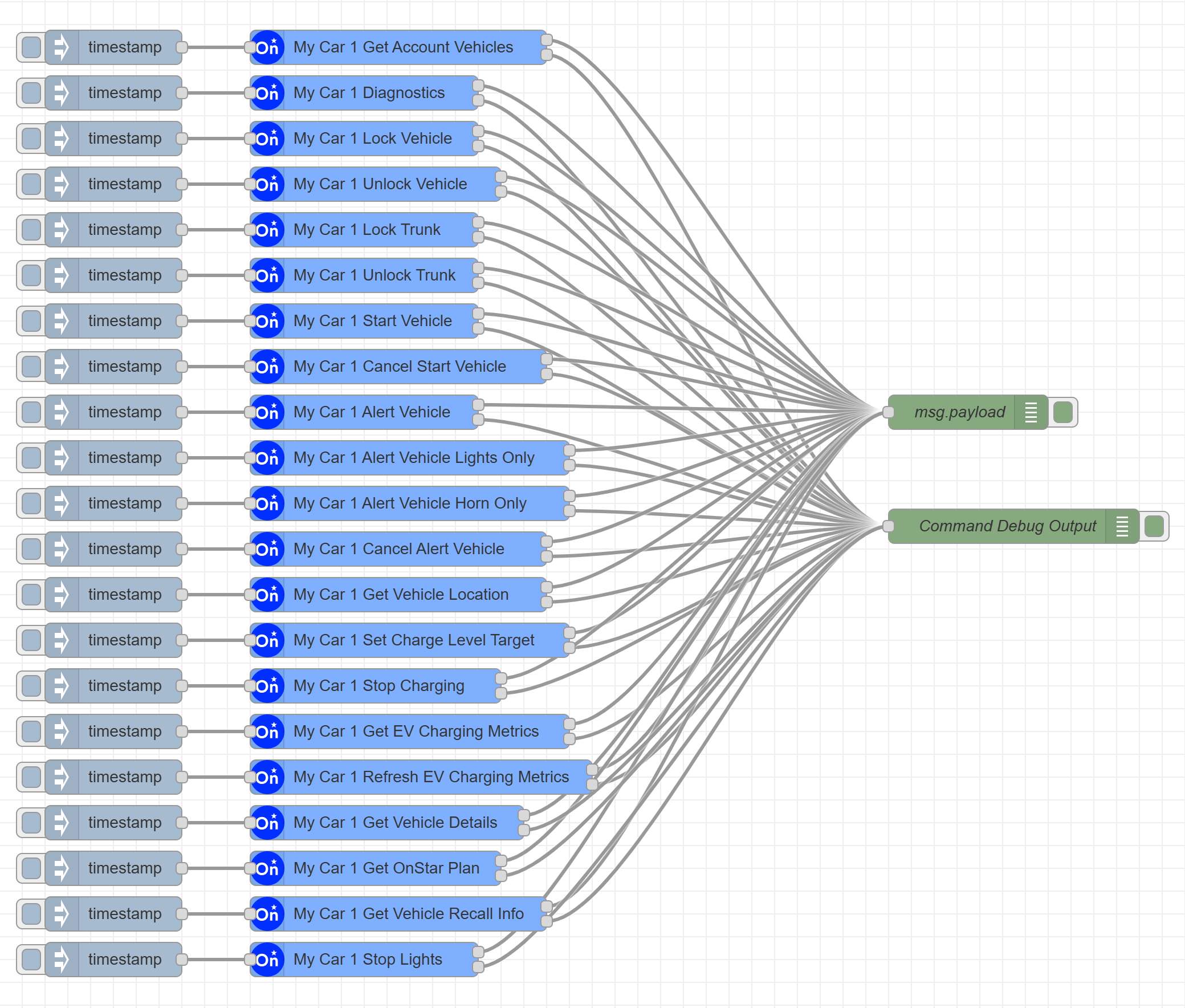
Each node is self-explanatory with hints provided wherever necessary as well as detailed information in the Help section of each node as necessary.
Running
Collect the following information:
- Generate a v4 uuid for the device ID
- OnStar login: username, password, PIN, TOTP Key (Please click link for instructions) — if TOTP setup is not possible or automated login is blocked, see the Firefox token procedure below
- Your car's VIN. Easily found in the monthly OnStar diagnostic emails.
Important: Special Instructions for Running in the official Home Assistant Node-RED Add-on
OnStar API Version Support
This project now uses the modernized onstarjs2 library which supports both v1 and v3 OnStar APIs:
Automatic API Version Detection
Action Commands (lock/unlock doors/trunk, start/cancel, alert): Automatically use v3 API with fallback to v1 API if needed. The library intelligently detects which API version your vehicle supports and caches this for optimal performance.
Diagnostic Commands: Use v3 API exclusively (returns all available diagnostics automatically)
EV Charging Commands: Use v3 API exclusively with new enhanced methods
v3 API Benefits
The v3 API provides:
- More reliable command execution
- Enhanced EV charging control
- Comprehensive diagnostic data
- Better error handling
- Improved performance
Supported Features
Vehicle Control
- Lock Doors
- Unlock Doors
- Lock Trunk
- Unlock Trunk
- Remote Start
- Cancel Remote Start (Stop)
- Vehicle Alert (Lights and Horn)
- Vehicle Alert (Lights Only)
- Vehicle Alert (Horn Only)
- Cancel Vehicle Alert
- Stop Lights
Vehicle Information
- Get Vehicle Location
- Get Diagnostic Information (v3 API - returns all diagnostics)
- Get Vehicle Capabilities
- Get Vehicle Details
- Get OnStar Plan
- Get Vehicle Recall Info
- Get Warranty Info
- Get SXM Subscription Info
Note: The OnStar API only returns plan detail fields (
planInfo,planExpiryInfo,activePlans,orders,offers) for primary account holders. Shared accounts will receiveonstarInfowith the active status but plan details will be empty or may return partial errors that are handled gracefully.
EV Charging Control (v3 API)
- Set Charge Level Target - Set desired battery percentage (0-100%)
- Stop Charging - Stop current charging session
- Get EV Charging Metrics - Retrieve current charging status and metrics
- Refresh EV Charging Metrics - Force-refresh live data from vehicle
Note: The following v1 API charging commands are deprecated and replaced:
chargeOverride→ UseSet Charge Level TargetorStop CharginggetChargingProfile→ UseGet EV Charging MetricssetChargingProfile→ UseSet Charge Level Target
Testing
This project includes comprehensive test suites that use mocked API responses instead of making real calls to OnStar servers.
Running Tests
# Run all tests (including mocked tests)
npm test

# Run only authentication tests (mocked)
npm run test:auth

# Run only functionality tests (mocked)
npm run test:functionality

# Run all mocked tests (authentication + functionality)
npm run test:mocked

# Run legacy authentication tests (requires real OnStar credentials)
npm run test:auth-legacy
Mocked Tests
The project now includes comprehensive mocked tests that cover both authentication scenarios and successful OnStar operations without making real API calls.
Authentication Tests (test/authentication.spec.js)
Using Sinon to mock the OnStarJS API calls:
- Fast execution: No network calls or timeouts
- Reliable results: Tests don't depend on external service availability
- Safe testing: No risk of accidentally triggering real vehicle actions
- Predictable outcomes: Controlled responses for different scenarios
The authentication tests cover:
- Invalid credentials scenarios
- Missing configuration parameters
- Invalid TOTP codes
- Invalid VIN formats
- Successful authentication flows
- Configuration node validation
Functionality Tests (test/functionality-mocked.spec.js)
Comprehensive mocked tests for OnStar operations:
- get-account-vehicles: Mock vehicle list with multiple vehicles
- get-diagnostics: Mock diagnostic data (odometer, battery, fuel, etc.)
- locate-vehicle: Mock GPS coordinates and address information
- lock-myvehicle: Mock successful door locking
- unlock-myvehicle: Mock successful door unlocking
- lock-mytrunk: Mock successful trunk locking
- unlock-mytrunk: Mock successful trunk unlocking
- start-myvehicle: Mock successful remote start
- cancel-start-myvehicle: Mock successful remote start cancellation
- alert-myvehicle: Mock successful vehicle alerts (honk/flash)
- get-warranty-info: Mock vehicle warranty information
- get-sxm-subscription-info: Mock SiriusXM subscription information
- get-mycharge-profile: Mock EV charging profile data
- mycharge-override: Mock charging override commands
All functionality tests verify:
- Correct API method calls with proper parameters
- Expected response data structures
- Proper error handling
- Node.js output validation
Running Tests with Real API Credentials (Optional)
By default, all tests use mocked API responses to prevent account lockouts. However, you can optionally test against the real OnStar API:
⚠️ WARNING: Real API testing will:
- Make actual calls to your OnStar account
- May trigger real actions on your vehicle
- Could lead to account lockout if run too frequently
- Should NEVER be used in CI/CD pipelines
To run real API tests:
Copy the example environment file:
cp .env.example .envEdit
.envand fill in your real credentials:RUN_REAL_API_TESTS=true [email protected] ONSTAR_PASSWORD=YourPassword ONSTAR_PIN=1234 ONSTAR_VIN=YOUR17DIGITVIN ONSTAR_DEVICEID=your-device-id-uuid ONSTAR_TOTP=YOURBASE32TOTPSECRETRun the safe real API tests:
npm run test:real-safe-only
Note: The .env file is automatically excluded from git via .gitignore to protect your credentials.
Authentication Troubleshooting
"Access Denied" during login
GM's auth server uses bot detection that can block automated logins unpredictably. If you receive an Access Denied error during the authentication flow, wait several hours before retrying — retrying immediately makes the block worse.
Automated authentication consistently failing — Firefox token procedure
If automated authentication is repeatedly blocked and waiting does not help, you can generate the required token file manually using the OnStar Auth Token Saver Firefox extension:
- Install the Firefox extension from the link above and follow its instructions to log in to your OnStar/GM account.
- The extension will save a
microsoft_tokens.jsonfile to your local machine. - Place (or map)
microsoft_tokens.jsoninto the directory configured astokenLocationin the node configuration. - Restart Node-RED — the library will load the token and refresh it automatically for approximately 60 days before another manual re-auth is needed.
Note: ONSTAR_TOTP / the TOTP key is still required in the node configuration — it is used when the token eventually expires (~60 days) and the library attempts automated re-authentication.
