node-red-contrib-markdown-note 1.1.6
A Node-RED node for adding rich Markdown notes and annotations to your flows.
Node-RED Markdown Note



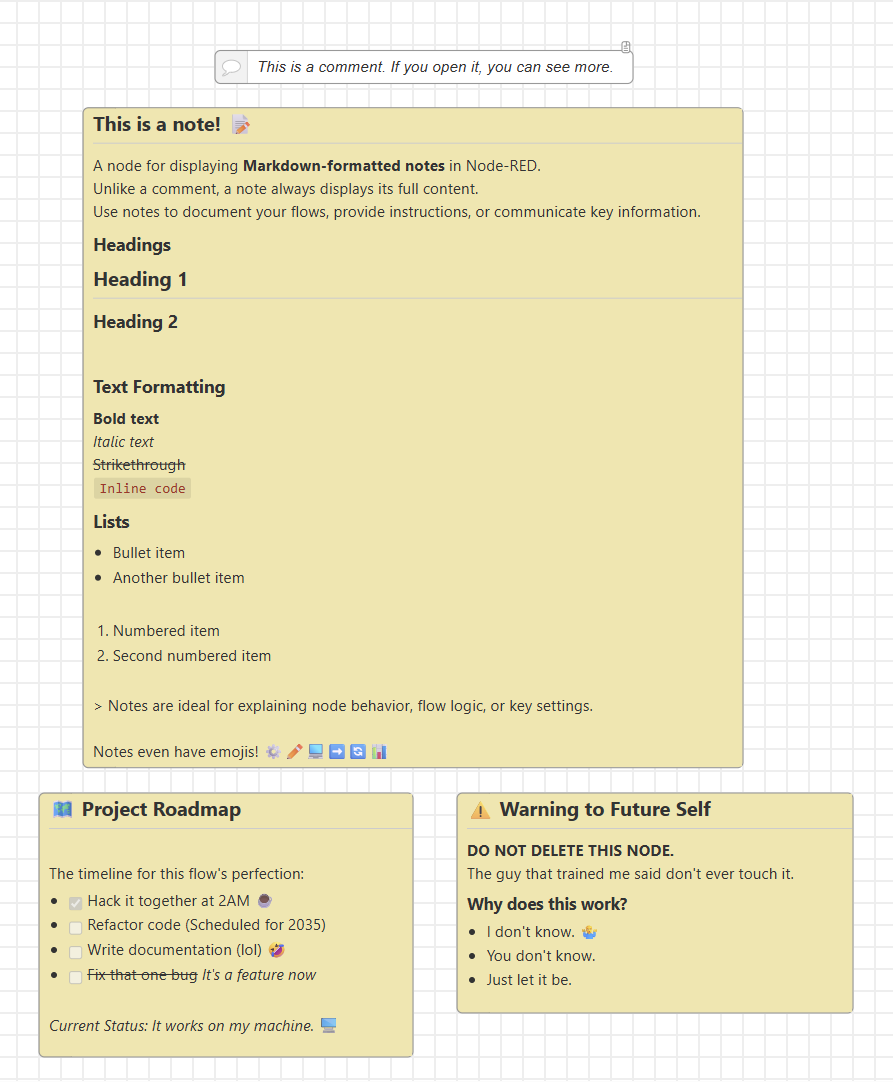
A Node-RED node for adding Markdown-formatted notes directly on the flow canvas.
Designed for inline documentation, design notes, and contextual explanations that remain visible while editing or reviewing flows.
Why use Markdown Note?
The standard Comment node hides content by default. Markdown Note keeps your notes always visible, making it easier to:
- Document flow logic inline
- Highlight important information
- Include structured content with headings, lists, and code blocks
| Feature | Comment Node | Markdown Note |
|---|---|---|
| Visibility | Collapsed by default | Always visible |
| Formatting | Plain text | Markdown (headers, lists, code, blockquotes) |
| Colors | Fixed editor style | Custom background and text colors |
| Structure | Minimal | Suitable for detailed documentation |
Features
- Always-visible notes – No need to click to expand.
- Markdown rendering – Support for headers, lists, emphasis, code blocks, quotes.
- Custom colors – Choose the note background and text color from the node properties.
- Task lists – Track TODOs or action items inline.
- Content-aware layout – Automatically adjusts to the rendered content.
- Developer-focused – Document payload formats, API contracts, assumptions, or edge cases directly on the flow.
Limitations
- Links are rendered as text but are not clickable due to Node-RED editor restrictions on SVG content.
Installation
Requires Node-RED 3.0 or later.
- Open Node-RED and go to Menu → Manage palette → Install
- Search for
node-red-contrib-markdown-noteand click Install - Restart Node-RED when prompted
Advanced users can also install via npm install node-red-contrib-markdown-note in the Node-RED user directory.
Example flow
After installing and restarting Node-RED, open the built-in example from
Menu → Import → Examples → node-red-contrib-markdown-note.
Note: Node-RED must be restarted after installation before importing. If you import first, Node-RED will report
Imported unrecognized type: noteand the nodes will not render.
Support
Markdown Note is free and open source.
If it helped you document your flows, please star the repository so other Node-RED users can find it.
Sponsorships are appreciated, but never expected.


