node-red-contrib-ip2location 1.0.0
IP2Location.io, IP2WHOIS and offline IP2Location/IP2Proxy BIN lookup nodes for Node-RED
node-red-contrib-ip2location

Node-RED nodes for online IP geolocation, WHOIS and hosted-domain lookups, plus offline IP2Location and IP2Proxy BIN database lookups. Online lookups use the official ip2location-io-nodejs SDK; offline lookups use ip2location-nodejs and ip2proxy-nodejs.
Nodes
| Node | Function |
|---|---|
ip2location-config |
Stores an API key as a Node-RED credential (optional for keyless IP geolocation). |
ip2location-lookup |
Online IP geolocation, ASN, ISP and plan-dependent proxy information. |
ip2location-whois |
WHOIS information for a domain. |
ip2location-hosted-domains |
Domains hosted on an IP address (one page per message). |
ip2location-offline |
Offline geolocation using an IP2Location BIN database. |
ip2proxy-offline |
Offline proxy detection using an IP2Proxy BIN database. |
The five processing nodes appear in the IP2Location palette category. ip2location-config is a configuration node, not a standalone processing node.
Requirements
- Node-RED 3.0 or later and a compatible Node.js version. This package declares Node.js 18 or later; the Node-RED version you run may require a newer Node.js release. A supported LTS version is recommended.
- Internet connectivity for the online nodes.
- An API key for WHOIS and Hosted Domains. IP geolocation also supports a keyless mode limited to 1,000 requests per day.
- An appropriate IP2Location or IP2Proxy LITE or commercial BIN file for offline lookups. BIN files are not included.
Attribution: Keyless and Free-plan usage requires attribution under the applicable IP2Location.io terms. Review the IP2Location.io website for the current requirements before using data in a public-facing application.
Installation
After the package is published to npm, install it from your Node-RED user directory:
cd ~/.node-red
npm install node-red-contrib-ip2location
For local development or testing before publication, install it from a checked-out project directory instead:
cd ~/.node-red
npm install /absolute/path/to/node-red-contrib-ip2location
On Windows (PowerShell):
cd $HOME\.node-red
npm install "C:\path\to\node-red-contrib-ip2location"
Restart Node-RED after installation and refresh the editor. For development and automated tests, see the source repository.
Configuration and usage
Online nodes
- Add an online lookup node to a flow. Select Credentials and create an
IP2Location.io credentialsconfiguration. - Leave the API key blank for keyless IP geolocation; provide a valid key for authenticated IP geolocation, WHOIS or Hosted Domains.
- Connect an Inject node to provide the input and a Debug node to inspect
msg.payload. - Click Deploy, then trigger the Inject node. Connect a Catch node to handle failures.
Message inputs and outputs:
| Node | Input | Options | Output |
|---|---|---|---|
ip2location-lookup |
msg.ip, otherwise msg.payload (IP string) |
msg.lang overrides the configured language; blank language is omitted |
Geolocation API response in msg.payload |
ip2location-whois |
msg.domain, otherwise msg.payload (domain string) |
— | WHOIS API response in msg.payload |
ip2location-hosted-domains |
msg.ip, otherwise msg.payload (IP string) |
msg.page overrides configured Page (default 1); must be a positive integer |
One page of Hosted Domains results in msg.payload |
When msg.ip or msg.domain is present but invalid, the node raises an error instead of falling back to msg.payload. Other message properties are preserved on success.
For example, an Inject node can send the string 8.8.8.8 as msg.payload, or a Function node can set:
msg.ip = '8.8.8.8';
return msg;
WHOIS example:
msg.domain = 'example.com';
return msg;
Internationalized domains are converted to ASCII (Punycode) before lookup, and a trailing dot is accepted. Supply a domain name, not a complete URL.
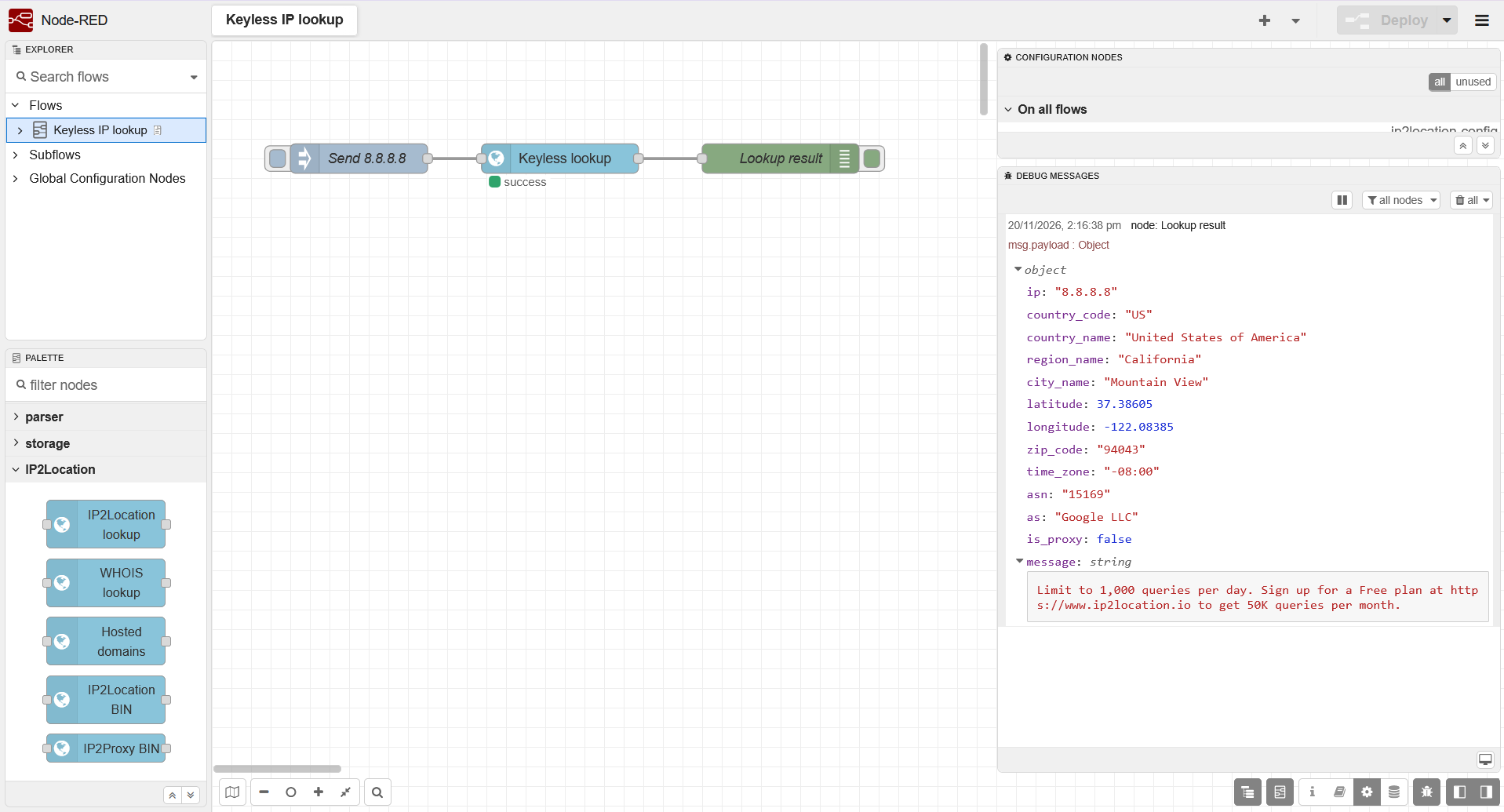
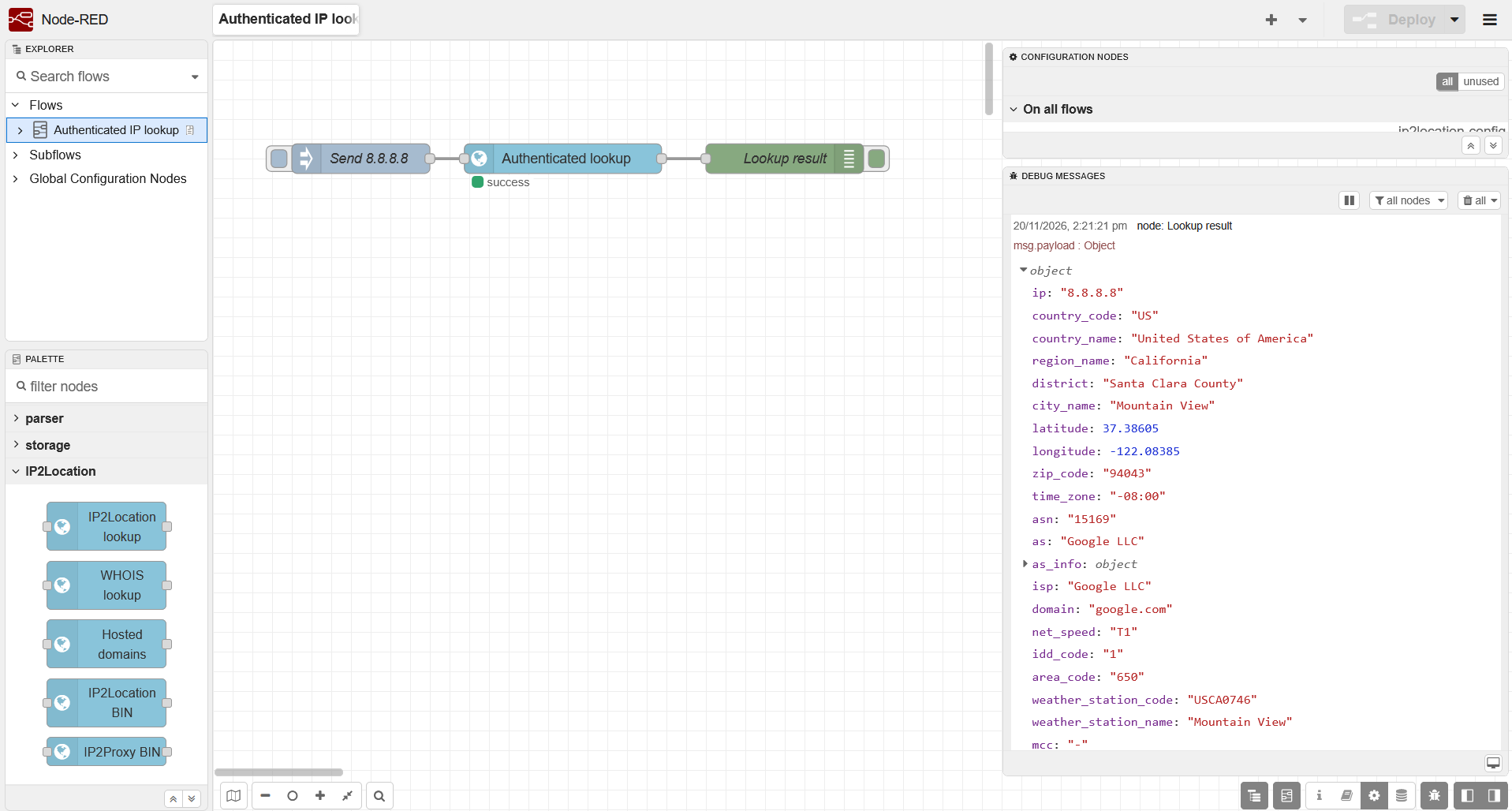
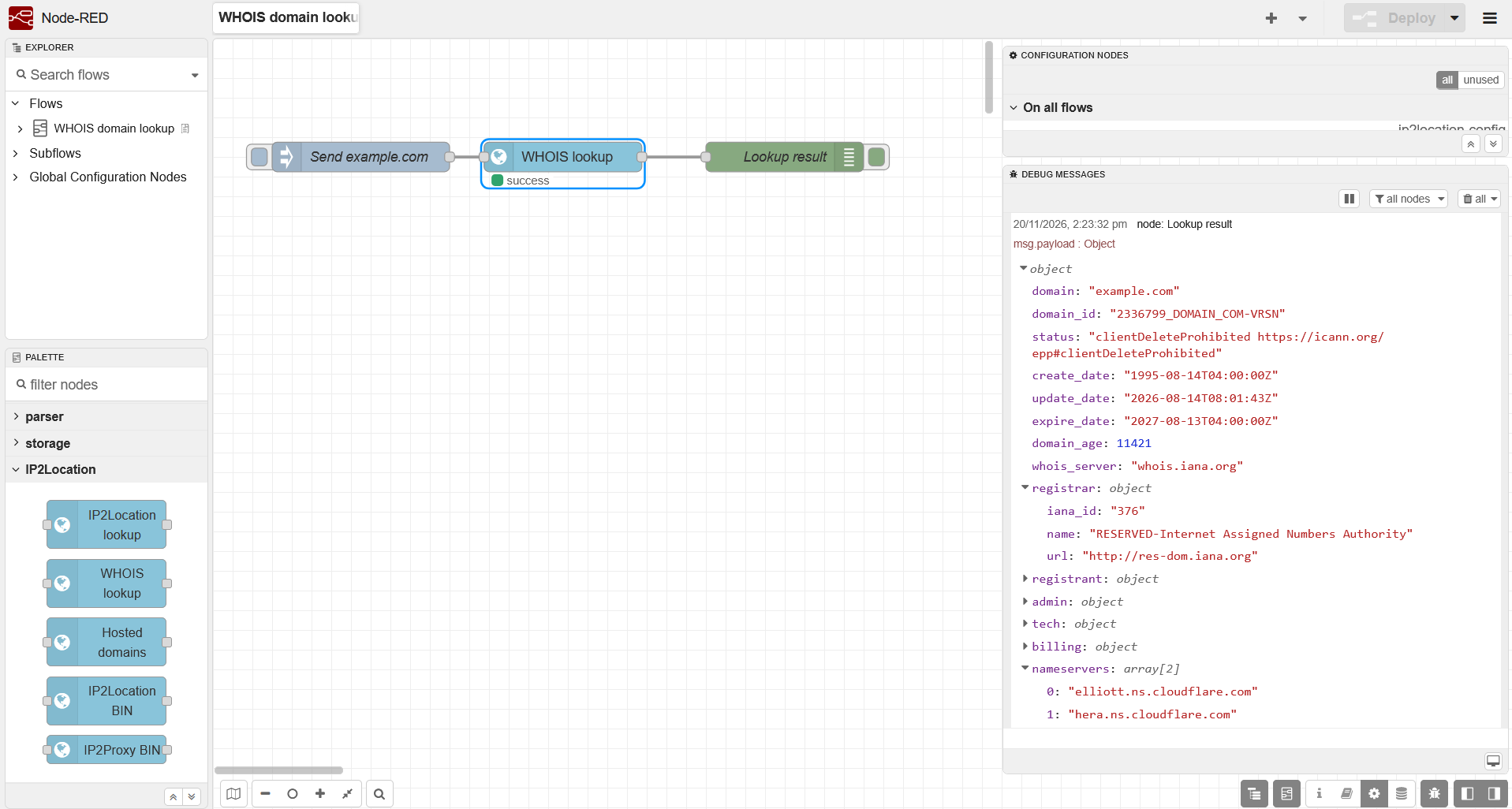
Response fields: IP geolocation may include country_code, country_name, region_name, city_name, latitude, longitude, asn, isp and is_proxy. WHOIS may return registrar, registration dates and nameservers. Available fields depend on the service response and subscription plan; language-specific results may require an eligible plan.
Timeouts: Each online processing node has a Timeout (ms) setting, defaulting to 10,000 ms (10 seconds). The node reports a timeout through a Catch node when the limit is reached. The timeout stops waiting for the SDK result; it does not abort the SDK's underlying HTTP request.
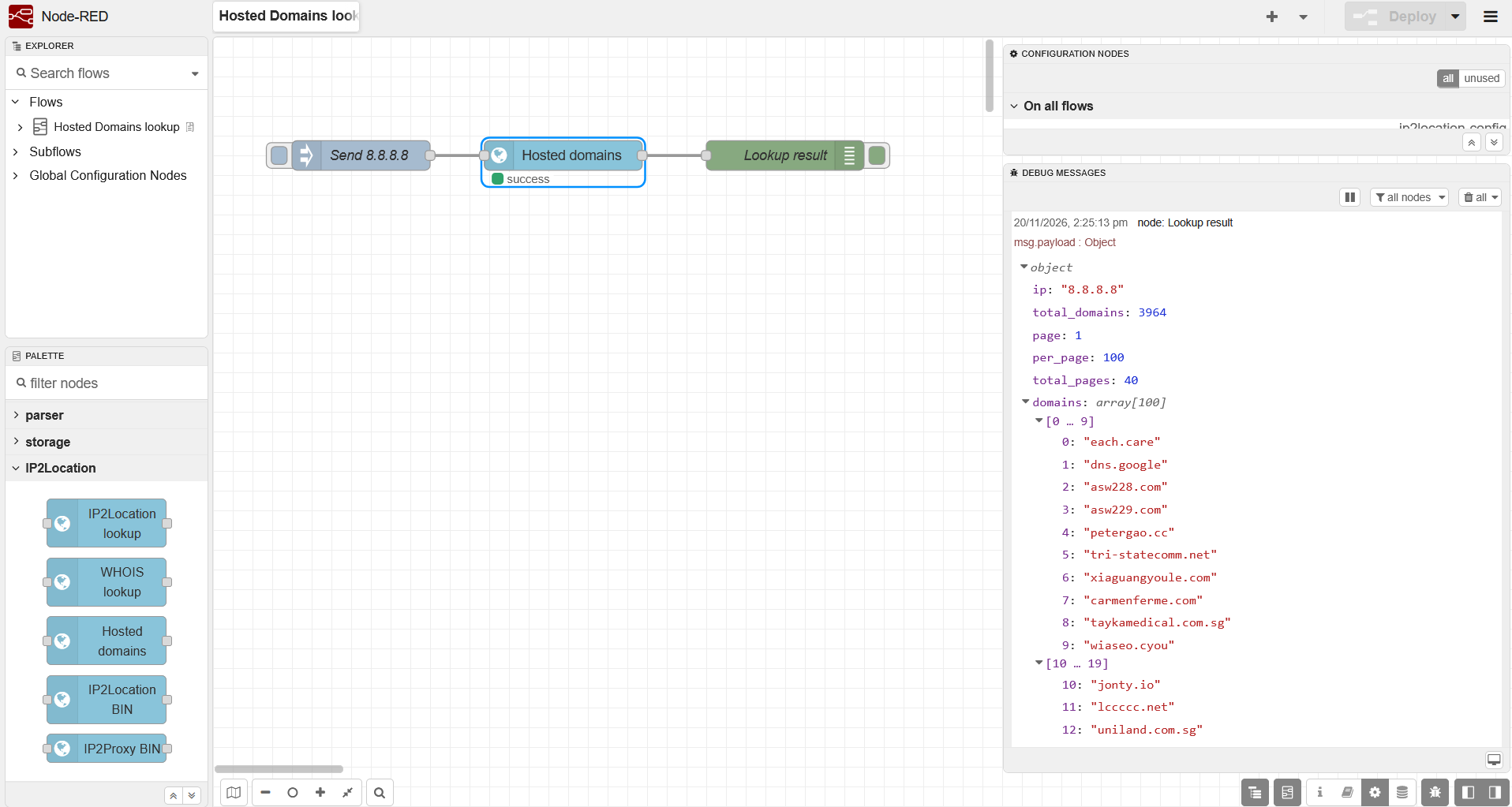
Hosted Domains pagination: Each incoming message retrieves one page only. Set Page in the editor or send msg.page = 2 to request page 2; the node does not automatically collect subsequent pages.
Offline BIN nodes
- Add
ip2location-offlineorip2proxy-offline. - Set BIN file to an absolute path on the machine/container running Node-RED, and select a database matching the node type.
- Send an IP address using
msg.ipormsg.payload.
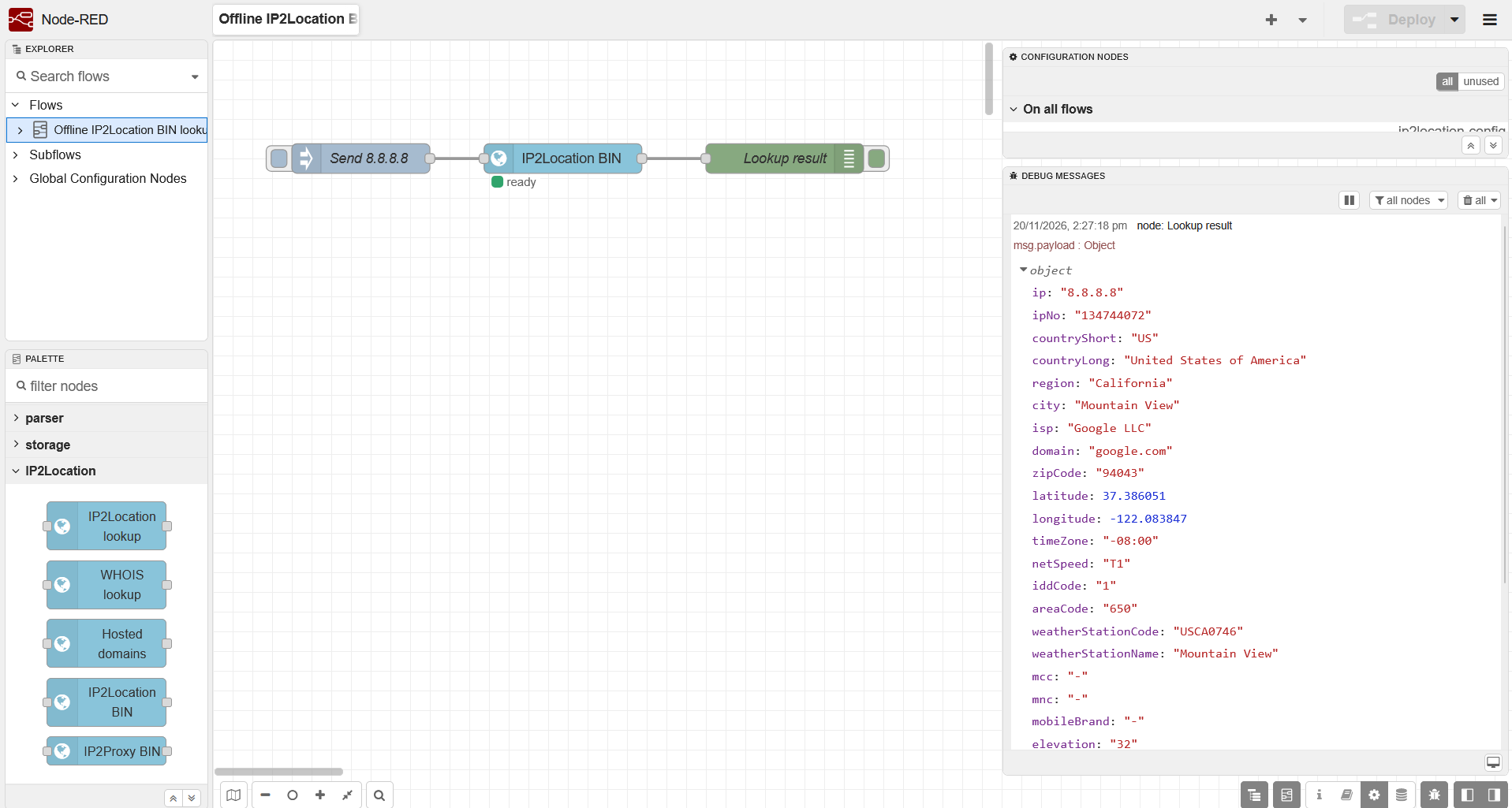
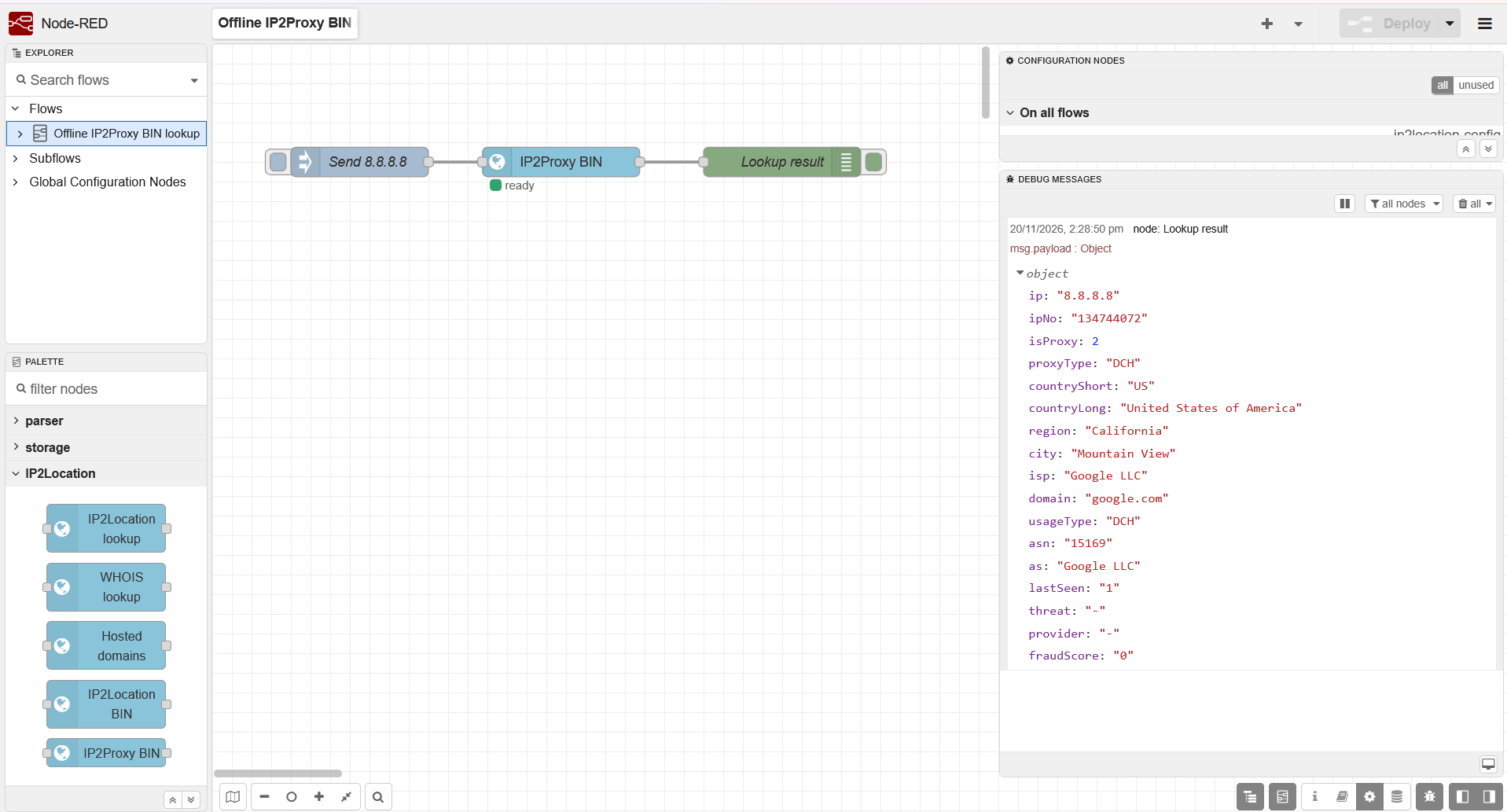
The BIN opens when the node starts; successful initialization shows a green ready status. The same database stays open for subsequent lookups. After replacing the BIN file, send msg.reload = true with an IP lookup to reopen it, or redeploy the flow. File changes are not detected automatically.
Offline lookups do not require a network connection or API key. The output is the SDK's result object in msg.payload, with fields determined by the BIN edition. Offline field names differ from online API names: for example, the BIN SDKs use countryShort whereas the online API uses country_code. Do not assume online and offline result objects are interchangeable.
Example flows
Import the sample flows from examples/ using Menu → Import in Node-RED. The six examples use unique node IDs, so multiple example flows can be imported into the same workspace without ID conflicts.
- Keyless IP lookup: Includes an IP2Location.io configuration node without an API key; deploy and trigger the Inject node.
- Authenticated IP lookup, WHOIS, and Hosted Domains: Include configuration nodes. Enter your own API key in the configuration before deploying. Hosted Domains requests page 1 by default;
msg.pagecan override it. - Offline IP2Location and IP2Proxy: Replace the placeholder BIN file path in the node editor with an absolute path to your own matching BIN database before deploying.
Each example sends a sample string through Inject → lookup → Debug. Open the Debug sidebar to inspect msg.payload. No API credentials or BIN databases are distributed with the examples.
Troubleshooting
| Problem | What to check |
|---|---|
| Invalid IP input | Send a valid IPv4 or IPv6 string in msg.ip or msg.payload, not an object. An invalid present msg.ip does not fall back to msg.payload. |
| Keyless daily quota exceeded | Keyless IP geolocation has a 1,000 requests/day limit. On exhaustion, the API returns error 10000 (HTTP 429); configure a free API key to get 50,000 queries/month under the advertised free allowance. |
| WHOIS / Hosted Domains fails without a key | These nodes require a configured API key. |
| Insufficient credits | API error 10004 for WHOIS / Hosted Domains indicates insufficient credits; review the account balance or plan. |
| Translated lookup fails | Clear lang / msg.lang, or verify that the plan supports the selected language. |
| API request times out | Increase Timeout (ms) if appropriate, and use a Catch node to handle the error. |
| Missing or unreadable BIN | Verify the path, permissions, file integrity and database type. BIN lookup errors are reported through Catch nodes. |
| IPv6 with an IPv4-only BIN | Use an IPv6-capable BIN. IP2Location can return IPV6_NOT_SUPPORTED; IP2Proxy can return IPV6 ADDRESS MISSING IN IPV4 BIN. Both are treated as errors. |
| BIN file has been updated but results are old | Send msg.reload = true with an IP lookup, or redeploy the node to reopen the BIN file. |
Node errors can be handled using a Node-RED Catch node. Errors do not produce normal successful lookup results.
Screenshots
Online API nodes
Offline BIN nodes
Related SDKs
License
MIT — see LICENSE.
