@vitormnm/node-red-simple-opcda-windows 1.0.9
OPC DA Client Wrapper for Windows based on OPCDAAuto.dll
A lightweight wrapper for OPCDAAuto.dll that brings classic OPC DA connectivity to Node-RED. A C# background worker handles COM operations through a persistent asynchronous stdin/stdout
Prerequisites
OPC DA is a legacy Windows-only technology built on COM/DCOM architecture. To use these nodes, you must satisfy the following requirements:
Operating System: Windows (Windows 7/10/11, Windows Server, etc.)
register OPCDAAuto.dll(If a notification hasn't been set up, a prompt to register will appear upon the first login.)
It is recommended to run Node-RED on the same machine as the OPC DA server.
Main Features
- Persistent Connection Management: Spawns a single, shared background C# instance per OPC server connection to keep resource usage minimal.
- Dynamic Server Discovery: Automatically queries and displays all installed local or remote (via DCOM) OPC DA servers in a dropdown selection.
- Read Mode: Performs fast synchronous batch tag reads, returning values, quality codes, and ISO timestamps.
- Write Mode: Support writing typed values (Int16, Int32, Float, Double, Boolean, String, etc.) to OPC DA variables.
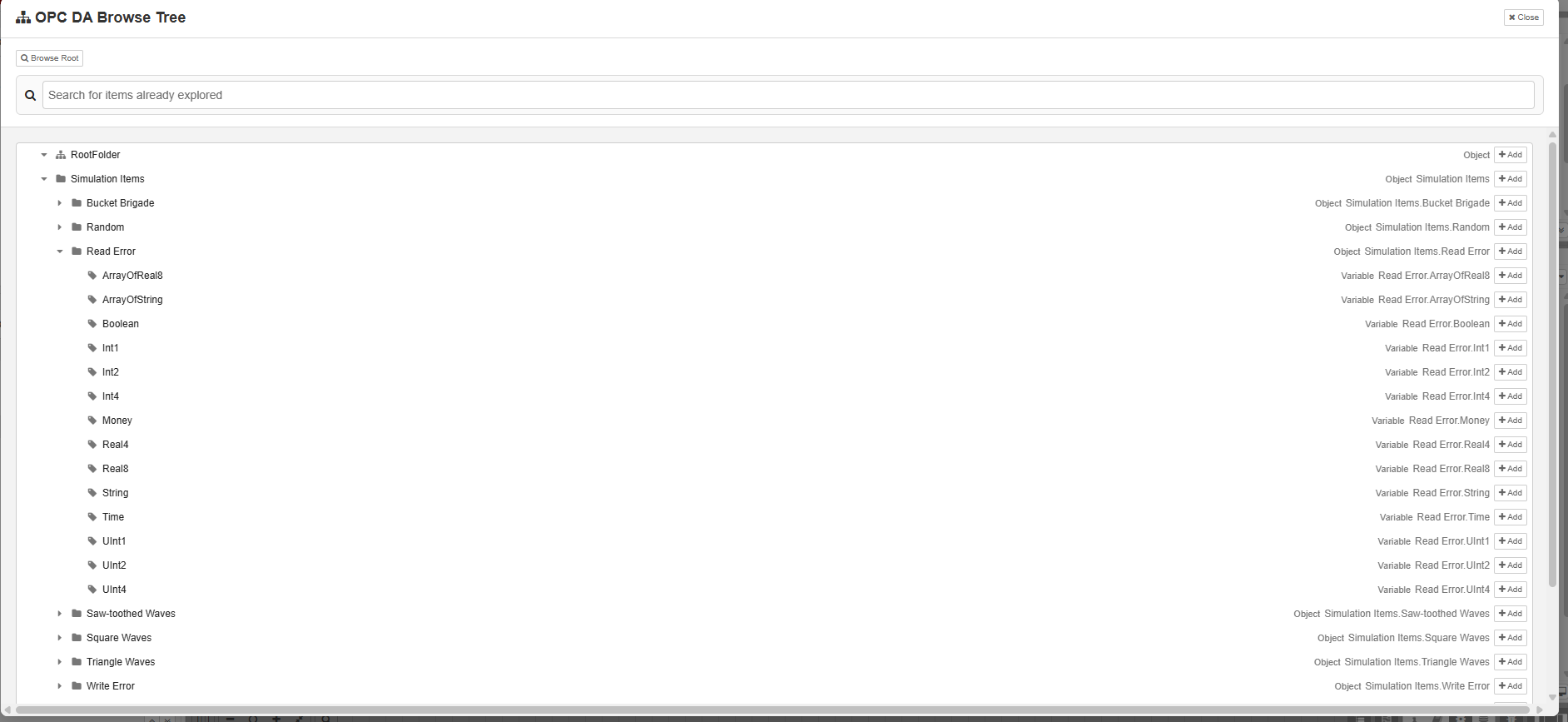
- Browse Mode: Features a tree explorer UI in the editor configuration modal to browse tags and folders dynamically.
- Browse Recursive Mode: Automatically walks folder hierarchies recursively, gathers all child leaves, and returns a fully populated nested tree containing all read tag values.
- Subscription Mode: Subscribes to real-time value changes on selected groups of tags, emitting change events immediately.
- Configurable Command Timeouts: Fully parameterizable command execution timeout to avoid flow blocks during slow DCOM network reads.
Node Configurations
1. Connection Configuration (opcda-client-config)
- Node Name (Optional): Specifies the computer name or IP address of a remote DCOM host. If left empty, discovery and connection are performed on the local machine.
- Select Server: A dropdown list with a refresh button to scan and choose registered OPC DA servers.
- Server ProgID: The exact programmatic identifier of the OPC server (e.g.
OPC.SimaticNET.1,Matrikon.OPC.Simulation.1,Kepware.KEPServerEX.V6). - Command Timeout (ms): Adjustable timeout (in milliseconds) for execution commands.
Tested OPC Servers
- Siemens SIMATIC NET (
OPC.SimaticNET.1) - Rockwell Automation RSLinx (
RSLinx OPC Server) - Rockwell Automation FactoryTalk Linx Gateway
- Matrikon OPC (
Matrikon.OPC.Simulation.1) - Kepware KEPServerEX (
Kepware.KEPServerEX.V6)
2. Client Node (opcda-client)
- Mode: Choose between
Read,Write,Browse,Browse Recursive, andSubscription. - Browse Tree: Click to open a visual explorer modal supporting folder expansion, Ctrl + click multi-selections, and instant
itemIDcopying. - Update Rate (ms): Available in subscription mode to control polling check frequency.
Client config
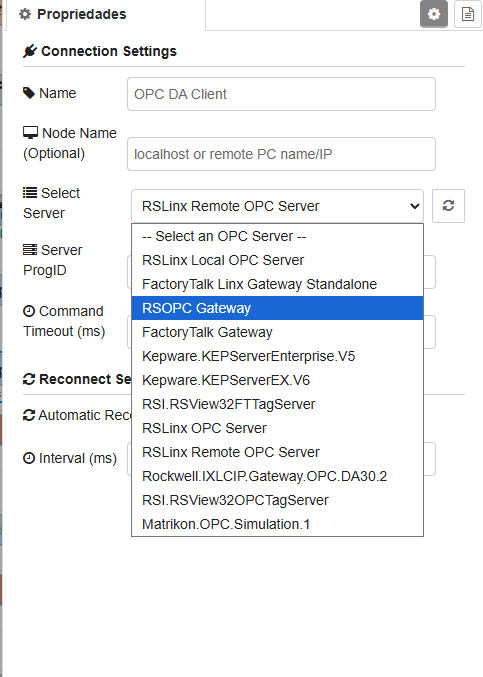
Client Editor
Remote DCOM (secpol.msc)
For remote server access (Workgroup), configure on the server machine (secpol.msc -> Local Policies -> Security Options):
Network access: Sharing and security model for local accounts➔ ClassicNetwork access: Let Everyone permissions apply to anonymous users➔ Enabled
Support the Project
If you find this project useful, please support its development: