@jsgorana/node-red-dashboard-2-scada 1.0.0
HP-HMI / ISA-101 SCADA widget kit for Node-RED Dashboard 2.0 — SVG mimic/synoptic displays, equipment faceplates with RBAC, declarative tag bindings, and a built-in symbol library
@jsgorana/node-red-dashboard-2-scada
HP-HMI / SCADA widget kit for Node-RED Dashboard 2.0 — SVG synoptic/mimic displays and equipment faceplates, driven by declarative tag bindings. ISA-101 styled, with a built-in symbol library.



One package, two Dashboard 2.0 nodes:
| Node | What it does |
|---|---|
ui-scada-mimic |
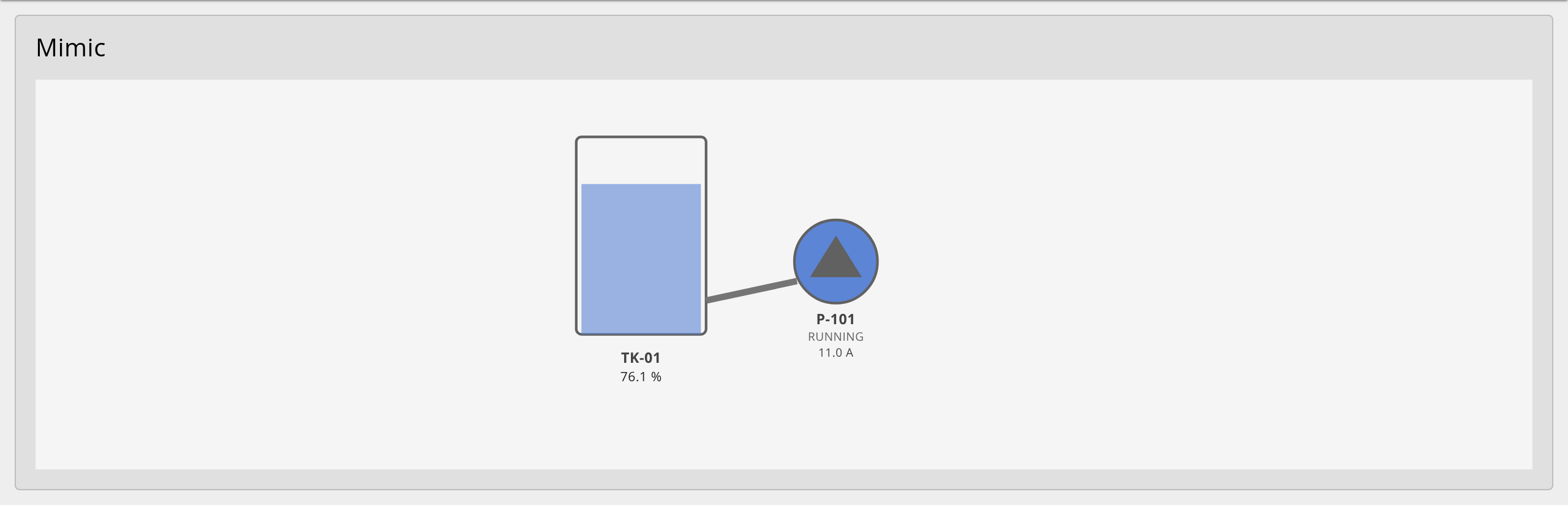
Render a process SVG and animate it from tag values — fill levels, colors, text, visibility, rotation — with no per-screen JavaScript. |
ui-scada-faceplate |
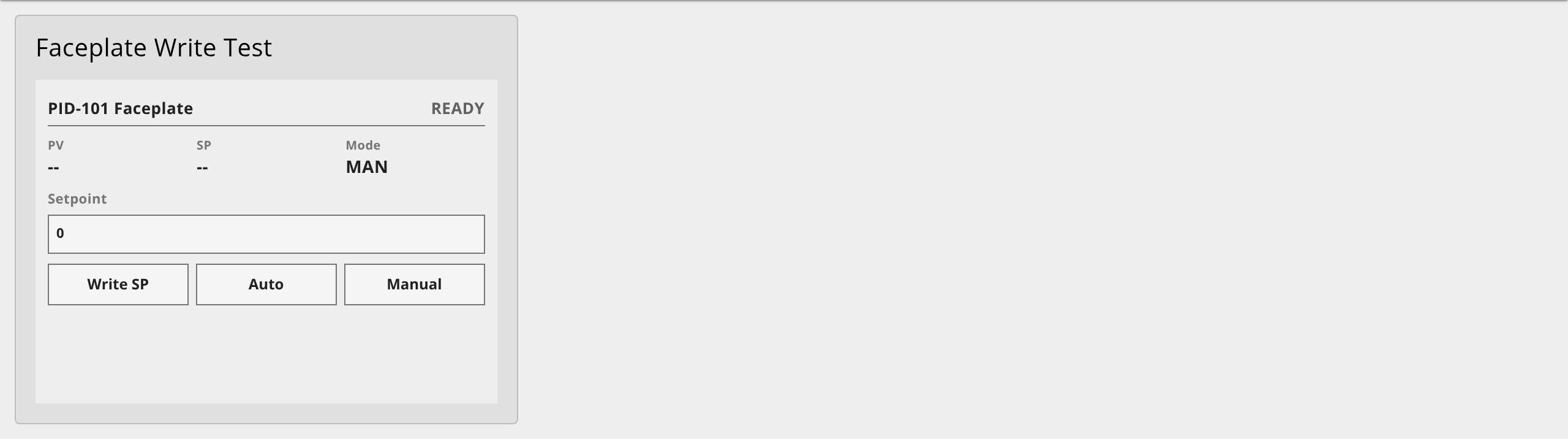
Equipment faceplate (motor / valve / PID) with alarm state display, setpoint entry, write-confirmation, interlock checks, and server-side RBAC + audit. |
A library of ISA-101 / HP-HMI SVG symbols (pump, motor, valves, tank, conveyor, breaker, bargraph, multistate indicator, mini-trend, pipe) is bundled in.
The kit is protocol-agnostic — it consumes a normalized tag map from any upstream node (OPC UA, Modbus, MQTT, Sparkplug, …) and bundles no drivers.
Install
npm install @jsgorana/node-red-dashboard-2-scada
Or via Menu → Manage palette → Install and search for the package name. Requires Node-RED >=4.0, Node.js >=22, and @flowfuse/node-red-dashboard >=1.0 (Dashboard 2.0). Both nodes appear in the palette under the dashboard 2 group alongside the stock widgets.
Quick start
Import a bundled example — Menu → Import → Examples → @jsgorana/node-red-dashboard-2-scada → mimic-tank-pump or faceplate-pid-rbac — and deploy.
A minimal mimic binding set:
{
  "bindings": [
    { "selector": "#TK01_fill", "source": "TK01.level",
      "target": { "type": "level", "axis": "y", "max": 152 },
      "transform": { "default": "0", "quality": { "onBad": "0" } } },
    { "selector": "#P101_body", "source": "P101.run",
      "target": { "type": "style", "name": "fill" },
      "transform": { "valueMap": { "true": "#5c85d6", "false": "#9e9e9e" }, "default": "#bdbdbd" } }
  ]
}
Feed the node a tag map:
msg.payload = { "TK01.level": 76.1, "P101.run": true };
return msg;
Faceplate writes & RBAC
The faceplate gates operator writes: a client-side confirmation, then server-side authorization (browser-asserted roles are never trusted). Output 1 is the allowed write/state; output 2 is the audit stream (emitted for both allowed and denied writes). The server gate enforces roles, engineering limits, optional setpoint rate limits, interlock blocking, and separate alarm action roles for acknowledge, shelve, and out-of-service.
Symbol library
The bundled HP-HMI symbols are accessible programmatically:
const { catalog, getSymbol } = require('@jsgorana/node-red-dashboard-2-scada/symbols');
Each symbol has documented, bindable element ids (status text, value text, level, alarm shape/text). See the symbol catalog.
Documentation
License
Apache-2.0 © 2026 jsgorana. See NOTICE for acknowledgements.
