@constablew/node-red-contrib-todoist-api 2.1.1
Todoist API v1 nodes for Node-RED (fork of @foxleigh81/node-red-contrib-todoist-api)
@constablew/node-red-contrib-todoist-api
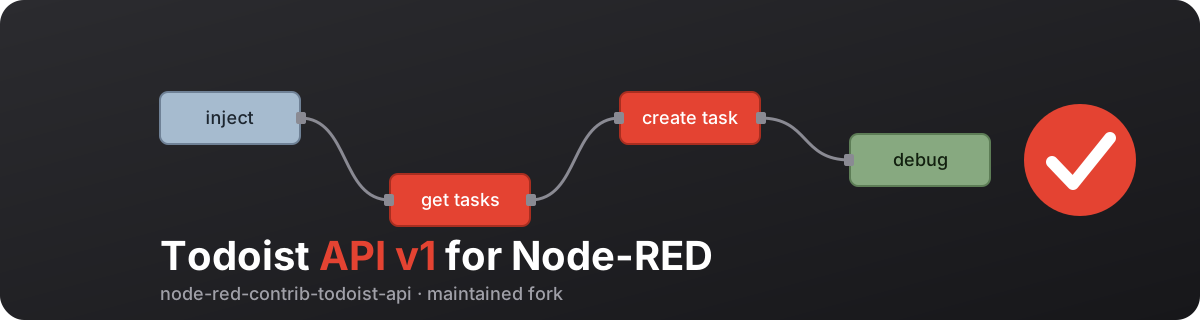

⚠️ This is a maintained fork of
@foxleigh81/node-red-contrib-todoist-apiby Alex Foxleigh, which is no longer maintained. Version 2.x targets the Todoist API v1 (https://api.todoist.com/api/v1/). List endpoints (all tasks, all projects) are fetched page by page and returned as a flat array inmsg.payload.data.
This is a node-red palette that allows you to interact with your Todoist account via the Todoist API.
Install
You can install via the node-red palette manager or via npm:
npm i --unsafe-perm @constablew/node-red-contrib-todoist-api
Usage
Configuration
To start using these nodes you need a token configuration node: drag any Todoist node from the palette into the flow editor, double-click it, click the pencil next to Select Token, and paste your Todoist API token. All Todoist nodes can share this one configuration.
To get your personal Todoist API token, open https://app.todoist.com/app/settings/integrations/developer in Todoist (Settings → Integrations → Developer).
Adding data
Each node reads its input from msg.payload (an object, e.g. { "id": "123" } or { "content": "Buy milk" }) and sends the Todoist response on its output as msg.payload.data. The fields every node understands are listed in docs/nodes.md. See the example below for a basic flow that creates a new task in your Todoist project.
Example flow
Import this into Node-RED (menu → Import). It has two injects: one creates a task in your Inbox, the other lists everything due today or overdue. Open the Todoist config node and paste your API token. IDs in Todoist API v1 are strings, e.g. "project_id": "6Jf8VQXxpwv56VQ7" (omit it to use the Inbox).
[
  {
    "id": "ex_inject_create",
    "type": "inject",
    "z": "ex_tab",
    "name": "Create task",
    "props": [
      {
        "p": "payload"
      }
    ],
    "repeat": "",
    "crontab": "",
    "once": false,
    "onceDelay": 0.1,
    "topic": "",
    "payload": "{\"content\":\"Buy milk\",\"priority\":4,\"due_string\":\"tomorrow\"}",
    "payloadType": "json",
    "x": 150,
    "y": 80,
    "wires": [
      [
        "ex_create"
      ]
    ]
  },
  {
    "id": "ex_create",
    "type": "todoist-task-create",
    "z": "ex_tab",
    "name": "",
    "token": "ex_token",
    "x": 370,
    "y": 80,
    "wires": [
      [
        "ex_debug"
      ]
    ]
  },
  {
    "id": "ex_inject_filter",
    "type": "inject",
    "z": "ex_tab",
    "name": "Due today",
    "props": [
      {
        "p": "payload"
      }
    ],
    "repeat": "",
    "crontab": "",
    "once": false,
    "onceDelay": 0.1,
    "topic": "",
    "payload": "{\"query\":\"today | overdue\"}",
    "payloadType": "json",
    "x": 150,
    "y": 140,
    "wires": [
      [
        "ex_filter"
      ]
    ]
  },
  {
    "id": "ex_filter",
    "type": "todoist-task-filter",
    "z": "ex_tab",
    "name": "",
    "token": "ex_token",
    "x": 370,
    "y": 140,
    "wires": [
      [
        "ex_debug"
      ]
    ]
  },
  {
    "id": "ex_debug",
    "type": "debug",
    "z": "ex_tab",
    "name": "Todoist response",
    "active": true,
    "tosidebar": true,
    "console": false,
    "tostatus": false,
    "complete": "payload",
    "targetType": "msg",
    "x": 600,
    "y": 110,
    "wires": []
  },
  {
    "id": "ex_token",
    "type": "add-todoist-api-token",
    "name": "Todoist"
  }
]
The payload is the same data as in the Todoist API v1 documentation. Every node and its fields are in docs/nodes.md.
Nodes available
All nodes are in the palette category Todoist. The complete reference with all payload fields, examples and outputs is in docs/nodes.md.
| Area | Nodes |
|---|---|
| Tasks | Get all tasks, Get tasks by filter, Get a task, Create a task, Quick add task, Update a task, Move a task, Complete a task, Reopen a task, Delete a task |
| Projects | Get all projects, Get, Create, Update, Archive / Unarchive, Delete |
| Sections | List all, Get, Create, Update, Delete |
| Labels | List all, Get, Create, Update, Delete |
| Comments | List, Create, Update, Delete |
| Generic | Custom query for any other endpoint of the Todoist API v1 |
Good to know (details in docs/nodes.md):
- Result data is in
msg.payload.data, the HTTP status inmsg.payload.status. - List nodes load all pages from the API and return one flat array.
- On API errors
msg.payloadis the error object (msg.payload.response.status,msg.payload.response.data). - Nodes added in 2.1.0 check the token and required payload fields before sending a request.
Test flow
examples/todoist-test-flow.json is an importable flow (Node-RED menu → Import) with one inject per node and a shared debug output for manual testing. It also contains an auto test that creates a throw-away project ClaudeTest, runs all nodes against it and deletes it again. After importing, enter your Todoist API token in the "Todoist Token" config node and replace the placeholder IDs (PROJECT_ID, TASK_ID, ...) in the inject payloads for the manual tests.
License
GNU General Public License v3.0 – see LICENSE.
Originally created by Alex Foxleigh, maintained by ConstableW.
Support
Buy Me a Coffee – Maintainer:

Support the original author:

