@aaqu/fromcubes-portal-react 0.1.0-alpha.37
Fromcubes Portal - React for Node-RED with Tailwind CSS and auto complete
@aaqu/fromcubes-portal-react






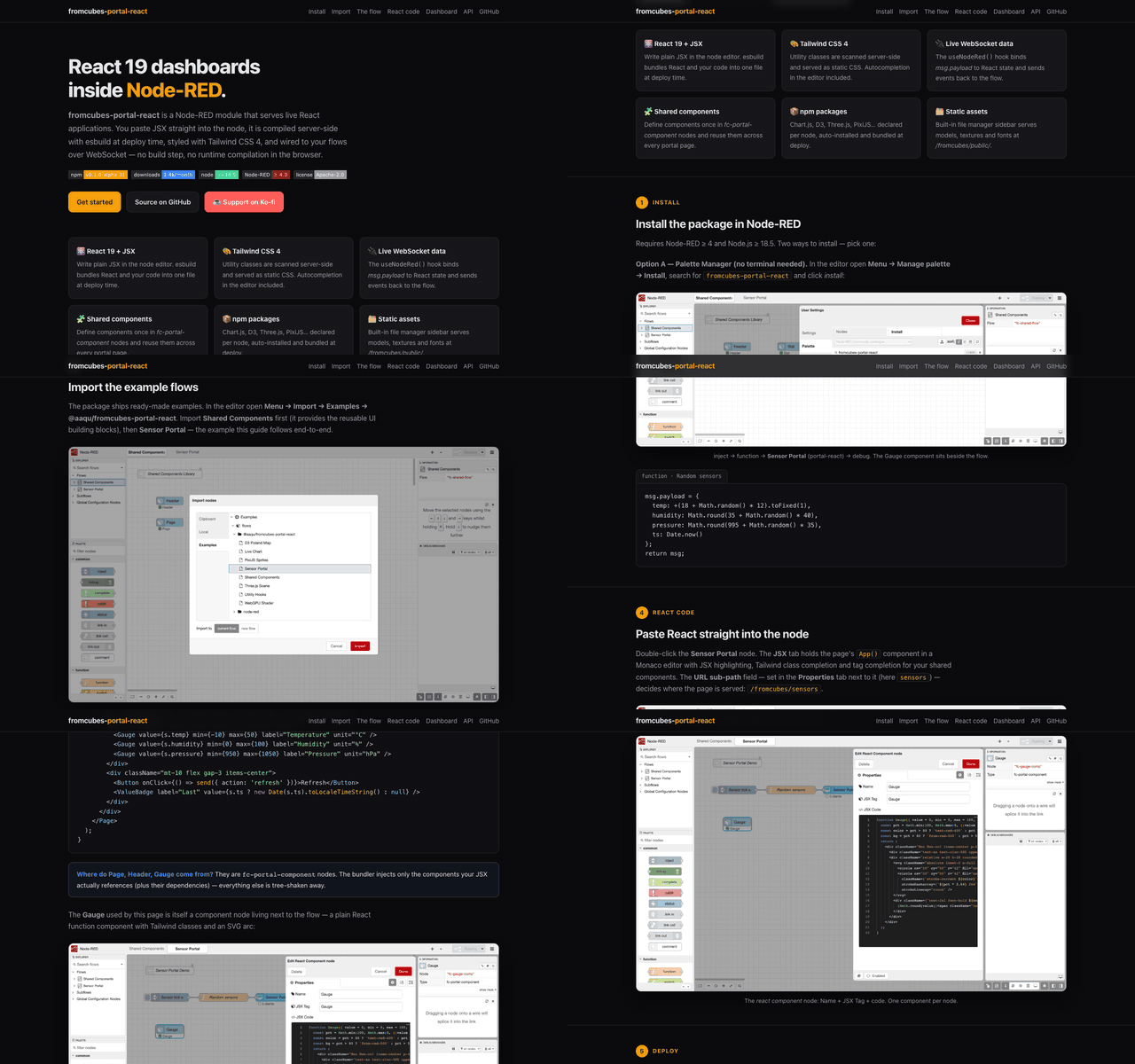
📖 Documentation — step-by-step guide with screenshots: aaqu.github.io/fromcubes-react — install → import → edit JSX → live dashboard, on one example.
⚠️ Alpha Module — This project is in early development. Expect breaking changes. Test on a clean Node-RED instance.
A Node-RED node that turns any /fromcubes/<sub-path> URL into a React page. Write JSX in the editor, deploy, open the URL — your component talks to the flow over WebSocket. No build step, no browser compiler. All portal pages are served under the hardcoded /fromcubes/ prefix so every node cleanly coexists under one URL tree.
For internals, plugin authoring, and the deploy pipeline see README-DEV.md.
💬 Questions, feedback, showcase? Join the fromcubes Discord.

Prerequisites
- Node-RED ≥ 4.0 — declared in
package.json'snode-red.versionand enforced by the editor's Palette Manager. - Node.js ≥ 18.5 — Node-RED 4.x's effective minimum.
- npm — only required when you use the
libsconfig field to install user packages at deploy time. The portal itself does not neednpmavailable at runtime. - A WebSocket-capable reverse proxy or direct connection — the portal
upgrades
/fromcubes/<sub-path>/_ws. If you front Node-RED with nginx / Traefik / Caddy, enableUpgrade: websocketheaders on that path.
Install
cd ~/.node-red
npm install @aaqu/fromcubes-portal-react@alpha
# restart Node-RED
That's it. No build step. Any npm packages you list in the node config (e.g. d3, three) are installed automatically on deploy.
Your first portal
- Drop a portal-react node onto a flow.
- Set Sub-path to e.g.
hello(the node will serve at/fromcubes/hello; the/fromcubes/prefix is fixed). - Open the code editor and paste:
function App() { const { data, send } = useNodeRed(); return ( <div className="p-4"> <p>From flow: {JSON.stringify(data)}</p> <button className="px-3 py-1 bg-blue-500 text-white rounded" onClick={() => send({ clicked: Date.now() })} > click me </button> </div> ); } - Deploy. Open
http://localhost:1880/fromcubes/hello. - Wire an inject node into the portal-react input → see
dataupdate live. Wire its output → see button clicks arrive in your flow.
The useNodeRed() hook
Everything your component needs from the flow lives in one hook:
const {
  data,          // last broadcast msg.payload from input wire (reactive)
  send,          // send(payload, topic?) — emit msg on output wire
  user,          // portal user object (when Portal Auth is enabled), or null
  portalClient,  // unique session/tab ID assigned by server on connect
  authRequired,  // true when this session is anonymous on an authenticated-only portal
} = useNodeRed();
Initial data on connect
The server does not cache payloads — a freshly-loaded page has data === null until the flow pushes the next message. For periodic streams that's at most one interval of blankness. For event-driven or per-user data, request the initial state from the component:
const { data, send } = useNodeRed();
useEffect(() => { send({}, "init"); }, []);
In the flow, catch topic === "init", look up the state (per-user via msg._client.userId if needed) and reply — msg._client is already set on the inbound message, so the response returns as a unicast to exactly that tab.
Node configuration
| Field | Purpose |
|---|---|
| Sub-path | Part after /fromcubes/, e.g. page1 → served at /fromcubes/page1. Required. Nesting allowed (team/alpha). Reserved: public, _ws. |
| Page Title | Browser tab title |
| npm Packages | Comma-separated, e.g. d3, three, @react-three/fiber |
| Portal Auth | Enable portal user header extraction (see Multi-user) |
| Authenticated-only delivery | Untargeted msgs (no msg._client) go only to sessions with portal identity headers; anonymous sessions get an auth_required frame on connect (see Multi-user). Off by default. |
| Show WS status | Small "fromcubes • connected/disconnected" badge in the page's bottom-right corner (off by default) |
| Head HTML | Extra trusted-author <head> tags (CDN, fonts, CSS, scripts). Runs in the public portal page. |
| Code Editor | Monaco with JSX — must define <App /> |
There is also a config node, fc-portal-component, that lets you define reusable React components once and reference them by name from any portal-react node. Referenced components (and their transitive dependencies) are injected at transpile time, so unused ones add nothing to the bundle.
For shared non-component code (helpers, custom hooks, constants), use fc-portal-utility — a sibling config node. Unlike component nodes (which export exactly one symbol via an IIFE wrapper), a utility node is injected raw at top level so it can declare any number of function / const / let / class symbols. Selective inclusion: a utility node lands in a portal's bundle only when the portal's JSX or any of its referenced library components mentions at least one of the symbols declared in that utility.
// fc-portal-utility, Module name = mathHelpers
const PI2 = Math.PI * 2;
function clamp(n, min, max) { return Math.max(min, Math.min(max, n)); }
function useDebounce(value, ms = 300) {
  const [v, setV] = React.useState(value);
  React.useEffect(() => {
    const t = setTimeout(() => setV(value), ms);
    return () => clearTimeout(t);
  }, [value, ms]);
  return v;
}

// portal-react, JSX tab
function App() {
  const { data } = useNodeRed();
  const slow = useDebounce(data?.value);
  return <div>{clamp(slow ?? 0, 0, 100)}</div>;
}
Editor features
- Monaco with full JSX support and
useNodeRed()type declarations - Tailwind CSS autocompletion inside
className="..."(~19k utility classes). Classes must be complete literals in a string — dynamicbg-${tone}-500generates no CSS (use a map of full classes). Arbitrary values incl.w-[calc(100%-2rem)],grid-cols-[repeat(2,1fr)],mt-0!and@md:flexare supported. - JSX tag completion — type tag name, Tab to expand
- Self-close collapse — type
/inside empty<tag></tag>to convert to<tag /> - Ctrl+D / Cmd+D — duplicate the current line or selection (in every Monaco editor of the package)
- Ctrl+/ / Cmd+/ — JSX-aware comment toggle. Style follows the first selected line (VS Code behavior): selecting a whole
return ( … )block gives plain//on every line, while lines between live JSX tags are wrapped in{/* … */}(a plain//there is literal text — JSX renders it on the page) - Component completion — registry components + any PascalCase word
- Utility-symbol completion — top-level identifiers from any
fc-portal-utilitynode, suggested in JS context - Components / Utilities dialogs — buttons in the JSX tab; Components inserts
<Tag></Tag>, Utilities expands to the symbols declared in each node and inserts the bare identifier on click - Portal Assets sidebar — file manager for static assets (GLB, textures, fonts…)
Multi-user / Multi-tenancy
Portal-react has four routing modes — broadcast, auth-cast (every authenticated session), user-cast (every tab of one user), and unicast (one specific tab). Everything works without authentication too — user-cast and auth-cast just degrade gracefully when there is no user.
Identity
| Identifier | Scope | Persistence | Source |
|---|---|---|---|
portalClient |
Single WS session (one tab) | Lost on reconnect — server assigns a new UUID | Generated server-side on connect |
userId / username |
All sessions of a user | Survives reconnect and new tabs | x-portal-user-* headers (when Portal Auth is enabled) |
Portal Auth header contract — injected by an upstream reverse proxy such as aaqu-portal-auth:
| Header | Field |
|---|---|
x-portal-user-id |
userId |
x-portal-user-name |
userName |
x-portal-user-username |
username |
x-portal-user-email |
email |
x-portal-user-role |
role |
x-portal-user-groups |
groups (JSON array) |
If Portal Auth is disabled or headers are absent, user is null and user-scoped features are silently skipped — broadcast and per-session features still work.
Routing modes
Every inbound msg arrives in your flow with msg._client already filled in by the server. The flow then decides where the response should go by setting (or clearing) msg._client on the outgoing msg:
// BROADCAST — everyone connected to this endpoint
delete msg._client;
return msg;

// UNICAST — only the tab that sent the original msg (echo)
// Keep msg._client as-is; it already carries portalClient.
return msg;

// UNICAST — a specific tab whose ID you know
msg._client = { portalClient: "a1b2c3d4-..." };
return msg;

// USER-CAST — every tab of a specific user (even ones that just opened)
msg._client = { userId: "alice" };
return msg;

// AUTH-CAST — every session that arrived with x-portal-user-* identity;
// anonymous sessions (no proxy headers) are skipped
msg._client = { authenticated: true };
return msg;
Auth-cast vs broadcast. Broadcast reaches every connected client, including anonymous ones. Auth-cast reaches only sessions that arrived with x-portal-user-* identity headers. Use auth-cast for data that any logged-in user may see; use broadcast only for data that is genuinely public. Nothing is cached server-side — each mode delivers to the clients connected at send time.
Authenticated-only delivery (fail-safe default)
With the Authenticated-only delivery checkbox enabled on the node, an untargeted msg (no msg._client) is delivered as an auth-cast instead of a broadcast — a forgotten _client then narrows delivery to logged-in sessions rather than leaking to anonymous ones. A true broadcast stays available explicitly:
msg._client = { authenticated: false };  // deliberate broadcast, anonymous included
return msg;
Anonymous sessions are told up front: right after hello the server sends a single auth_required frame (once per connection — never per skipped message, so unauthenticated clients learn nothing about traffic volume or timing). The hook exposes it so the page can render a login hint instead of staying silently empty:
const { data, authRequired } = useNodeRed();
if (authRequired) return <p className="p-4 text-zinc-500">Log in to see this data.</p>;
Anti-spoof guarantee. On every inbound message the server overwrites msg._client from scratch using the socket's own portalClient and the user data captured at connect. A browser cannot forge _client — whatever it puts there is discarded.
User-cast uses an O(1) index so a message to {userId: "alice"} reaches every tab of Alice with a single lookup, not a scan.
Without a user (anonymous mode)
If Portal Auth is off (or no proxy headers arrive), everything still works:
broadcastandportalClientunicast: unchangeduser-cast: gracefully skipped (nouserIdto target)auth-cast: delivers to nobody (no session has identity headers)useNodeRed().userisnull
Same model as dashboard 2 — no auth required to use the node.
Portal Assets
Static files (3D models, textures, fonts, etc.) can be uploaded and served from a public endpoint.
- Open the Portal Assets tab in the Node-RED sidebar
- Upload files via button or drag & drop
- Organize in folders (create, rename, move between folders)
- Copy public path with one click — use in JSX:
/fromcubes/public/models/scene.glb - Download and delete files from the context menu
All uploads require Node-RED admin authentication. Files are served publicly at /fromcubes/public/.
Limits: 100 MB per file, 500 MB total, 1000 files max.
Examples
Available via Menu → Import → Examples → @aaqu/fromcubes-portal-react. Each flow includes a comment node with what to expect and the URL to open.
Import Shared Components first — it provides the UI building blocks (Page, Header, Stat, Button, ValueBadge) referenced by the others.
| Example | npm packages | Description |
|---|---|---|
| Shared Components | — | Reusable components: Page, Header, Stat, Button, ValueBadge |
| Sensor Portal | — | Sensor gauge with live WebSocket data |
| Live Chart | chart.js/auto |
Live updating Chart.js charts |
| D3 Poland Map | d3 |
Interactive SVG map of Poland (simulated data) |
| Three.js Scene | three, @react-three/fiber, @react-three/drei |
3D scene with Three.js |
| PixiJS Sprites | pixi.js, @pixi/react |
Clickable bunny sprites with PixiJS |
| WebGPU Shader | three |
WebGPU renderer + TSL animated shaders |
| Utility Hooks | — | fc-portal-utility demo: useDebounce custom hook + clamp helper |
Troubleshooting
| Symptom | Likely cause |
|---|---|
| Red status "transpile error" + error page on the endpoint | JSX syntax error — fix code, redeploy (cache invalidates automatically) |
| Red status "legacy endpoint" on deploy | Flow was saved before the /fromcubes/ prefix became hardcoded. Open the node, set Sub-path, redeploy. Automatic migration is disabled to avoid silent URL changes. |
| Red status "bad sub-path" | Sub-path is empty or violates the rules (no leading /, no whitespace, no .., segments must start alphanumerically, public/_ws reserved). |
| Yellow status "css-fail" | Tailwind generation failed (usually an invalid class in JSX). Page still loads but unstyled. Fix the class, redeploy — the status clears on the next successful build. |
Code editor stays blank / portal-react/vs/loader.js 404s |
Monaco is served live from the package's own node_modules at /portal-react/vs (no postinstall copy step). The 404 means RED.httpAdmin is mounted under a non-root httpAdminRoot the editor didn't account for, or monaco-editor failed to install. Reinstall the package and hard-refresh the editor (Cmd/Ctrl-Shift-R). |
npm install @aaqu/fromcubes-portal-react ends with EACCES |
The Node-RED userDir/node_modules install path is not writable by the user running Node-RED. Re-run npm install from a shell with the right ownership. |
Browser request /fromcubes/css/<hash>.css returns 404 |
The portal's deploy hasn't produced a CSS bundle yet — open the editor, redeploy. If the URL is bookmarked from before a deploy, the hash is stale; reload the portal page itself. With a custom httpNodeRoot, prepend it to this path. |
| WebSocket reconnects in an endless loop | Reverse-proxy is not forwarding Upgrade: websocket on /fromcubes/<sub-path>/_ws. Check the proxy config — nginx needs proxy_set_header Upgrade $http_upgrade, Traefik needs the websocket middleware. |
libs packages fail to install on deploy |
The user-installed npm packages declared in Libs install via Node-RED's dynamicModuleList mechanism, which needs network access from userDir and a writable node_modules. Behind a corporate proxy set npm config set proxy … for the Node-RED user. |
Page loads but data stays null |
Nothing has been pushed since the page connected — payloads are not cached server-side. Push periodically, or request initial state from the component (send({}, "init") → flow replies) |
user is null even with Portal Auth on |
Upstream proxy is not injecting x-portal-user-* headers |
| Page reloads on every deploy | Expected for code changes; clients soft-reconnect with exponential backoff |
Architecture: source AND sink
The Node-RED guidelines suggest a node should "sit at the beginning, middle
or end of a flow — not all at once". portal-react intentionally violates
this: every node is both a sink (msg → render) and a source (UI
event → outbound msg). Trade-offs:
- Pro: one wire per portal is conceptually simpler — the same node owns the page lifecycle, its WebSocket, and the routing rules.
- Con: flow-error tracking only follows the
input → outputpath. Errors originating in the browser (e.g. a runtime exception inside a UI handler) cross the WebSocket as a source-event and are not routed to a Catch node on the same tab — they surface as a red node status and a log line. This matches the Node-RED guidance for source nodes: "produces messages in response to external events".
If you need explicit Catch-node visibility for UI-originated errors, wire
the portal's output through a Switch / Catch chain — a UI event landing on
msg.payload is then a regular wire-level message that Catch can observe.
Security
This module is meant to run behind a trusted Node-RED instance, ideally behind a reverse proxy. Highlights:
- Admin write endpoints require the
Node-RED-API-Versionheader (CSRF protection) and aportal-react.writepermission whenadminAuthis configured. - Token-bucket rate-limit (default 60 burst / 1 req/s steady) on every
write endpoint, tunable via
RED.settings.portalReact.rateLimit. - JSON bodies capped by Node-RED's own
apiMaxLength(settings.js, default 5 MB), 100 MB asset-upload cap, 500 MB / 1000 files total assets quota, 1 MB WebSocket frame cap. x-portal-user-*identity headers are trusted unconditionally — production deployments must terminate auth at a reverse proxy that strips inbound identity headers before injecting verified ones.
License
Apache-2.0
